STL Werkzeuge
- Blockify/voxelize/simplify/smooth meshes with Blender
- Simplification and remeshing of STL parts
- Split STL into several parts
- STL Converters ASCII / Binary
- STL to DXF, OBJ to DXF
- STL to Native
- STL to STEP
- STL to Wireframe
- STL Viewers and Thumbnail Generators
Blockify/voxelize/simplify/smooth meshes with Blender
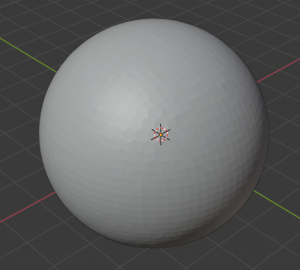
Take some sphere as example (https://www.thingiverse.com/thing:115644/files)
Import file into Blender
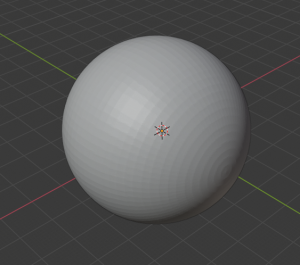
Add "remesh" modifier
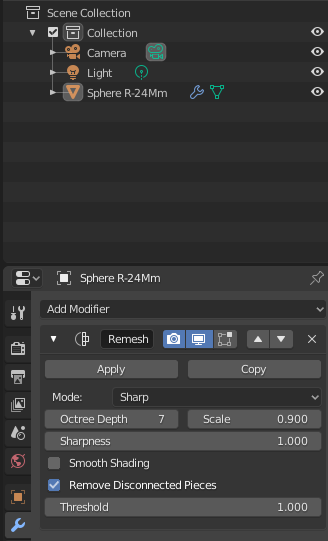
Play with the settings
Choose "Mode: block" to create voxel-like style and adjust Octree Depth parameter
| Depth = 2 | Depth = 3 | Depth = 4 |
|
|
|
|
| Depth = 5 | Depth = 6 | Depth = 7 |
|
|
|
|
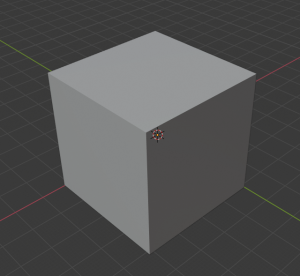
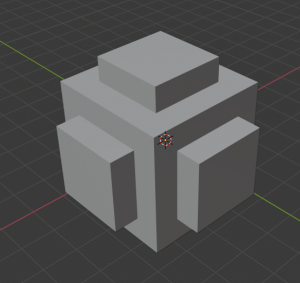
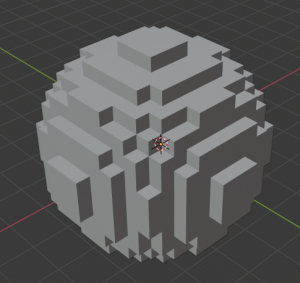
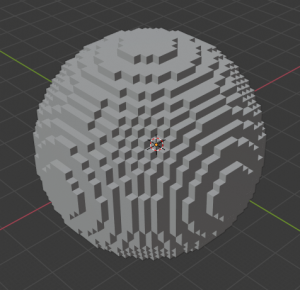
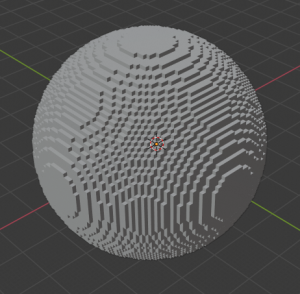
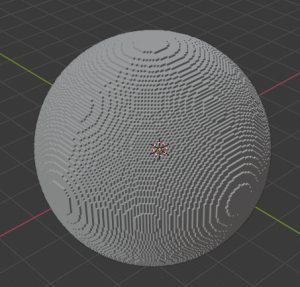
Choose "Mode: sharp" or "Mode: smooth" (similar but still different) to create simplified model and adjust Octree Depth parameter
| Depth = 1 | Depth = 2 | Depth = 3 |
|
|
|
|
| Depth = 4 | Depth = 5 | |
|
|
|
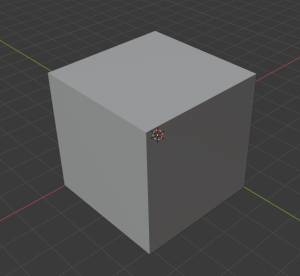
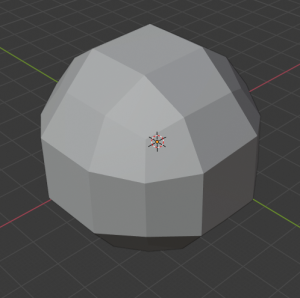
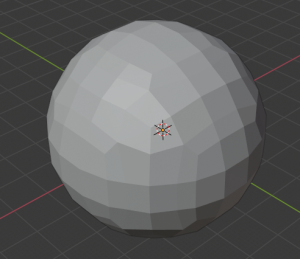
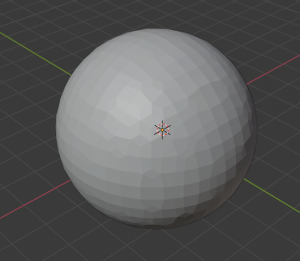
Simplification and remeshing of STL parts
Tools
Simplification (mesh reduction) of 3d models can be used to approximate or repair the geometry. It allows to make easy STL unwrappings (flattenings) for example by:
-
- AutoDesk MeshMixer
- meshlab
- GeometryCollective/fieldgen
- Blender
- songrun/SeamAwareDecimate
- 3dless.com (github.com/ipepe/3dless-com)
fogleman/simplify
go get -u github.com/fogleman/simplify/cmd/simplify
mv ~/go/bin/simplify /bin/

#run simplify
simplify ... #only works for binary
Python libraries
trimesh library
Linux
sudo apt-get install -y python3-rtree
pip3 install trimesh[easy]
Windows
https://www.lfd.uci.edu/~gohlke/pythonlibs/#rtree
pip install Rtree-0.9.4-cp38-cp38-win_amd64.whl
pip install trimesh[easy]
Split STL into several parts
Verfügbare Tools zum Zerschneiden eines 3D-Teils in mehrere Teile
STL Converters ASCII / Binary
STL zu STEP Format: https://github.com/slugdev/stltostp
OpenJSCAD
OpenJSCAD can convert a lot of formats like SVG, DXF, X3D, AMF, SCAD and JSCAD.
https://en.wikibooks.org/wiki/OpenJSCAD_User_Guide#Via_Command-Line
admesh
https://github.com/admesh/admesh
git clone https://github.com/admesh/admesh.git
cd admesh
./autogen.sh
./configure
make

#copy admesh and .libs folder to another place to separate unrequired files

#you can also install by
sudo dnf install admesh

#convert all stl files to binary, even if they are already binary
find ./ -maxdepth 1 -type f \( -iname \*.stl -o -iname \*.STL \) -exec admesh -b {} {} \;
STLConverter.exe
http://www.johann-oberdorfer.eu/blog/2018/01/12/18-01-12_stl_files_convert_from_ascii2binary
convertSTL
has some bugs which might empty your files!
https://github.com/cmpolis/convertSTL
Download and install Ruby
#run cmd
gem install ocra
Build convertSTL.exe
git clone https://github.com/cmpolis/convertSTL.git
cd convertSTL/
ocra convertSTL.rb
STL to DXF, OBJ to DXF
Tools
- https://sourceforge.net/projects/ivcon-tl
- Blender (can natively export STL to 3D DXF - this is compatible to use with DXF 2 Papercraft)
Blender AutoCAD DXF Export Bugfix (AttributeError: module 'time' has no attribute 'clock' in Python 3.8):
/usr/share/blender/scripts/addons/io_export_dxf# cat export_dxf.py
# ##### BEGIN GPL LICENSE BLOCK #####
#
#  This program is free software; you can redistribute it and/or
#  modify it under the terms of the GNU General Public License
#  as published by the Free Software Foundation; either version 2
#  of the License, or (at your option) any later version.
#
#  This program is distributed in the hope that it will be useful,
#  but WITHOUT ANY WARRANTY; without even the implied warranty of
#  MERCHANTABILITY or FITNESS FOR A PARTICULAR PURPOSE.  See the
#  GNU General Public License for more details.
#
#  You should have received a copy of the GNU General Public License
#  along with this program; if not, write to the Free Software Foundation,
#  Inc., 51 Franklin Street, Fifth Floor, Boston, MA 02110-1301, USA.
#
# ##### END GPL LICENSE BLOCK #####

import os
import mathutils

DEBUG = os.environ.get('BLENDER_DEBUG', False) #activates debug mode
if DEBUG:
    import sys
    sys.path.append(os.environ['PYDEV_DEBUG_PATH'])
    import pydevd

from .model.migiusModel import MigiusDXFLibDrawing

SUPPORTED_TYPES = ('MESH')#,'CURVE','EMPTY','TEXT','CAMERA','LIGHT')

def exportDXF(context, filePath, settings):
    """
    Main entry point into export facility.
    """
    print("----------\nExporting to {}".format(filePath))
    from time import perf_counter as timestamp
    time1 = timestamp()

    if settings['verbose']:
        print("Generating Object list for export... (Root parents only)")

    scene = context.scene

    if settings['onlySelected'] is True:
        objects = (ob for ob in scene.objects if not ob.hide_viewport and ob.select_get() and ob.type in SUPPORTED_TYPES)
    else:
        objects = (ob for ob in scene.objects if not ob.hide_viewport and ob.type in SUPPORTED_TYPES)

    if DEBUG: pydevd.settrace()
    mw = get_view_projection_matrix(context, settings)

    try:
        # add Entities --------------------
        #todo: fixme: seems to be the reason for missing BLOCK-export
        #if APPLY_MODIFIERS: tmp_me = Mesh.New('tmp')
        #else: tmp_me = None

        drawing = MigiusDXFLibDrawing()
        exported = 0
        for o in objects:
            if _exportItem(context, o, mw, drawing, settings):
                exported +=1

        if not drawing.isEmpty():
            # NOTE: Only orthographic projection used now.
    #       if PERSPECTIVE: # generate view border - passepartout
    #           from .primitive_exporters.viewborder_exporter import ViewBorderDXFExporter
    #           e = ViewBorderDXFExporter(settings)
    #           e.export(drawing, ob, mx, mw)

            drawing.convert(filePath)

        duration = timestamp() - time1
        print('%s objects exported in %.2f seconds. -----DONE-----' %\
            (exported, duration))
    except IOError:
        print('DXF Exporter: Write Error: ', filePath)
    except Exception as e:
        print('Nothing exported. Error: %s' % str(e))

    print("Finished")

#-------------------------------------------------
def getCommons(ob, settings):
    """set up common attributes for output style:
     color=None
     extrusion=None
     layer='0',
     lineType=None
     lineTypeScale=None
     lineWeight=None
     thickness=None
     parent=None
    """

    BYBLOCK=0 #DXF-attribute: assign property to BLOCK defaults
    BYLAYER=None #256 #DXF-attribute: assign property to LAYER defaults
    LAYERNAME_DEF='' #default layer name
    LAYERCOLOR_DEF=7 #default layer color index
    LAYERLTYPE_DEF=0 #'CONTINUOUS' - default layer lineType
    ENTITYLAYER_DEF=LAYERNAME_DEF #default entity color index
    ENTITYCOLOR_DEF=BYLAYER #default entity color index
    ENTITYLTYPE_DEF=BYLAYER #default entity lineType

    #layers = ob.layers #gives a list e.g.[1,5,19]
    layers = ob.users_collection
    if layers: ob_layer_nr = layers[0]
    if DEBUG: print('ob_layer_nr=', ob_layer_nr) #--------------

    materials = ob.material_slots
    if materials:
        ob_material = materials[0]
        ob_mat_color = ob_material.material.diffuse_color
    else: ob_mat_color, ob_material = None, None
    if DEBUG:
        print('ob_mat_color, ob_material=', ob_mat_color, ob_material) #--------------

    data_materials = ob.material_slots
    if data_materials:
        data_material = data_materials[0]
        data_mat_color = data_material.material.diffuse_color
    else: data_mat_color, data_material = None, None
    if DEBUG:
        print('data_mat_color, data_material=', data_mat_color, data_material) #--------------

    entitylayer = ENTITYLAYER_DEF
    c = settings['entitylayer_from']
    #["default_LAYER","obj.name","obj.layer","obj.material","obj.data.name","obj.data.material","..vertexgroup","..group","..map_table"]
    if c=="default_LAYER":
        entitylayer = LAYERNAME_DEF
    elif c=="obj.layer" and ob_layer_nr:
        entitylayer = 'LAYER'+ str(ob_layer_nr)
    elif c=="obj.material" and ob_material:
        entitylayer = ob_material.name
    elif c=="obj.name":
        entitylayer = ob.name
    elif c=="obj.data.material" and ob_material:
        entitylayer = data_material.name
    elif c=="obj.data.name":
        entitylayer = ob.data.name

    entitycolor = ENTITYCOLOR_DEF
    cfrom = settings['entitycolor_from']
    if cfrom=="default_COLOR":
        entitycolor = LAYERCOLOR_DEF
    elif cfrom=="BYLAYER":
        entitycolor = BYLAYER
    elif cfrom=="BYBLOCK":
        entitycolor = BYBLOCK
    elif cfrom=="obj.layer" and ob_layer_nr:
        entitycolor = ob_layer_nr
    elif cfrom=="obj.color" and ob.color:
        entitycolor = ob.color
    elif cfrom=="obj.material" and ob_mat_color:
        entitycolor = ob_mat_color
    elif cfrom=="obj.data.material" and data_mat_color:
        entitycolor = data_mat_color

    entityltype = ENTITYLTYPE_DEF
    etype = settings['entityltype_from']
    if etype=="default_LTYPE":
        entityltype = LAYERLTYPE_DEF
    elif etype=="BYLAYER":
        entityltype = BYLAYER
    elif etype=="BYBLOCK":
        entityltype = BYBLOCK
    elif etype:
        entityltype = etype

    return entitylayer, entitycolor, entityltype

def getCameraMatrix(cam):
    raise NotImplementedError()
#   camProps = cam.data
#       mc0 = act_camera.matrix.copy()
#               #print 'deb: camera.Matrix=\n', mc0 #------------------
#               camera = Camera.Get(act_camera.getData(name_only=True))
#               #print 'deb: camera=', dir(camera) #------------------
#               if camera.type=='persp': PERSPECTIVE = 1
#               elif camera.type=='ortho': PERSPECTIVE = 0
#               # mcp is matrix.camera.perspective
#               clip_box, mcp = getClipBox(camera)
##              if PERSPECTIVE:
##                  # get border
##                  # lens = camera.lens
##                  min_X1, max_X1, min_Y1, max_Y1,\
##                  min_X2, max_X2, min_Y2, max_Y2,\
##                      min_Z, max_Z = clip_box
##                  verts = []
##                  verts.append([min_X1, min_Y1, min_Z])
##                  verts.append([max_X1, min_Y1, min_Z])
##                  verts.append([max_X1, max_Y1, min_Z])
##                  verts.append([min_X1, max_Y1, min_Z])
##                  border=verts
#               mw = mc0.copy().invert()
#           #ViewVector = mathutils.Vector(Window.GetViewVector())
#           #print 'deb: ViewVector=\n', ViewVector #------------------
#           #TODO: what is Window.GetViewOffset() for?
#           #print 'deb: Window.GetViewOffset():', Window.GetViewOffset() #---------
#           #Window.SetViewOffset([0,0,0])
#           mw0 = Window.GetViewMatrix()
#           #print 'deb: mwOrtho    =\n', mw0    #---------
#           mwp = Window.GetPerspMatrix() #TODO: how to get it working?
#           #print 'deb: mwPersp    =\n', mwp    #---------
#           mw = mw0.copy()

projectionMapping = {
  'TOP' : mathutils.Vector((0, 0, -1)),
  'BOTTOM' : mathutils.Vector((0, 0, 1)),
  'LEFT' : mathutils.Vector((0, 1, 0)),
  'RIGHT' : mathutils.Vector((0, -1, 0)),
  'FRONT' : mathutils.Vector((-1, 0, 0)),
  'REAR' : mathutils.Vector((1, 0, 0))
}

#-----------------------------------------------------
def get_view_projection_matrix(context, settings):
    """
    Returns view projection matrix.
    Projection matrix is either identity if 3d export is selected or
    camera projection if a camera or view is selected.
    Currently only orthographic projection is used. (Subject to discussion).
    """
    cam = settings['projectionThrough']
    if cam is None:
        mw = mathutils.Matrix()
        mw.identity()
    elif cam in projectionMapping.keys():
        projection = mathutils.Matrix.OrthoProjection(projectionMapping[cam], 4)
        mw = projection
    else: # get camera with given name
        c = context.scene.collection.objects[cam]
        mw = getCameraMatrix(c)
    return mw

def _exportItem(ctx, o, mw, drawing, settings):
    """
    Export one item from export list.
    mw - modelview
    """
    if settings['verbose']: print('Exporting %s' % o)
    #mx = ob.matrix.copy()
    #print 'deb: ob =', ob   #---------
    #print 'deb: ob.type    =', ob.type  #---------
    #print 'deb: mx =\n', mx     #---------
    #print 'deb: mw0    =\n', mw0    #---------
    #mx_n is trans-matrix for normal_vectors for front-side faces
    mx = o.matrix_world
    viewRotation = mw.to_euler().to_matrix()
    mx_n = o.rotation_euler.to_matrix() @ viewRotation
    mx @= mw

    #mx_inv = mx.copy().invert()
    elayer, ecolor, eltype = getCommons(o, settings)
    if settings['verbose']:
        print('elayer=%s, ecolor=%s, eltype=%s' % (elayer, ecolor, eltype))
    #TODO: use o.boundBox for drawing extends ??

    if elayer is not None and not drawing.containsLayer(elayer):
        if ecolor is not None: tempcolor = ecolor
        else: tempcolor = settings['layercolor_def']
        drawing.addLayer(elayer, tempcolor)

    if DEBUG: pydevd.settrace()
    if (o.type == 'MESH') and settings['mesh_as']:
        from .primitive_exporters.mesh_exporter import MeshDXFExporter
        e = MeshDXFExporter(settings)
    elif (o.type == 'CURVE') and settings['curve_as']:
        from .primitive_exporters.curve_exporter import CurveDXFExporter
        e = CurveDXFExporter(settings)
    elif (o.type == 'EMPTY') and settings['empty_as']:
        from .primitive_exporters.empty_exporter import EmptyDXFExporter
        e = EmptyDXFExporter(settings)
    elif (o.type == 'TEXT') and settings['text_as']:
        from .primitive_exporters.text_exporter import TextDXFExporter
        e = TextDXFExporter(settings)
    elif (o.type == 'CAMERA') and settings['camera_as']:
        from .primitive_exporters.camera_exporter import CameraDXFExporter
        e = CameraDXFExporter(settings)
    elif (o.type == 'LIGHT') and settings['light_as']:
        from .primitive_exporters.light_exporter import LampDXFExporter
        e = LampDXFExporter(settings)

    return e.export(ctx, drawing, o, mx, mx_n, color=ecolor, layer=elayer, lineType=eltype)
STL to Native
STL in ein natives Format zu konvertieren ist mit verschiedenenen Programmen möglich.
Mit FreeCAD
https://www.youtube.com/watch?v=6PrzEA7Iy9E
Mit stl2step
STL to STEP
Intelligente Konvertierung von STL zu STEP
Dieses Cli-Programm konvertiert STL-Dateien auf nicht-triviale Weise in STEP-Dateien. Es segmentiert das Netz in Grundformen. Das bedeutet, dass die generierte STEP-Datei nicht nur aus einer Reihe von Dreiecken besteht, sondern auch Ebenen, Zylinder, Kugeln usw. enthält, was zu einem geringeren Speicherverbrauch führt und CAD- und CAM-freundlicher ist.
https://github.com/TheTesla/stl2step
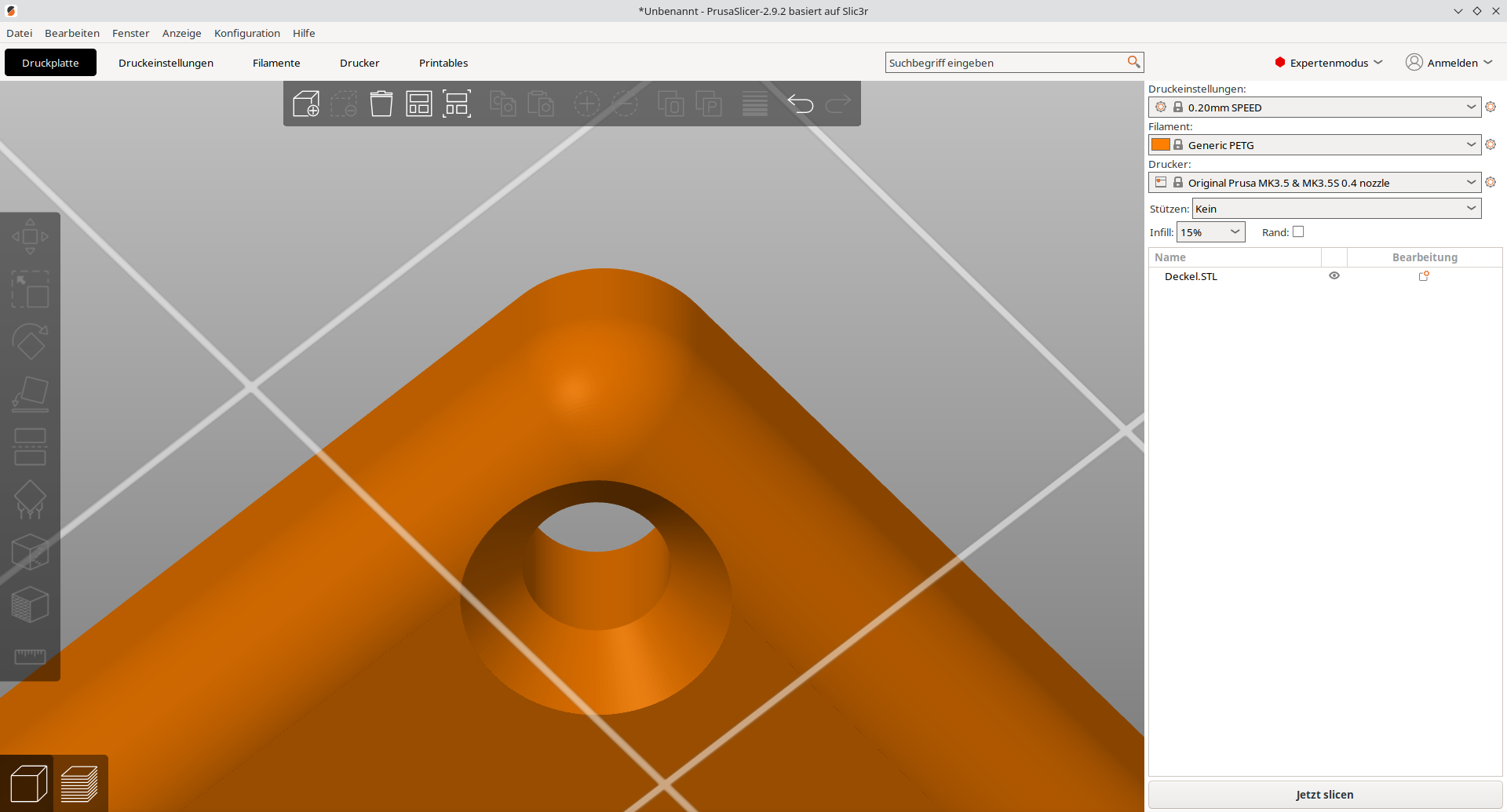
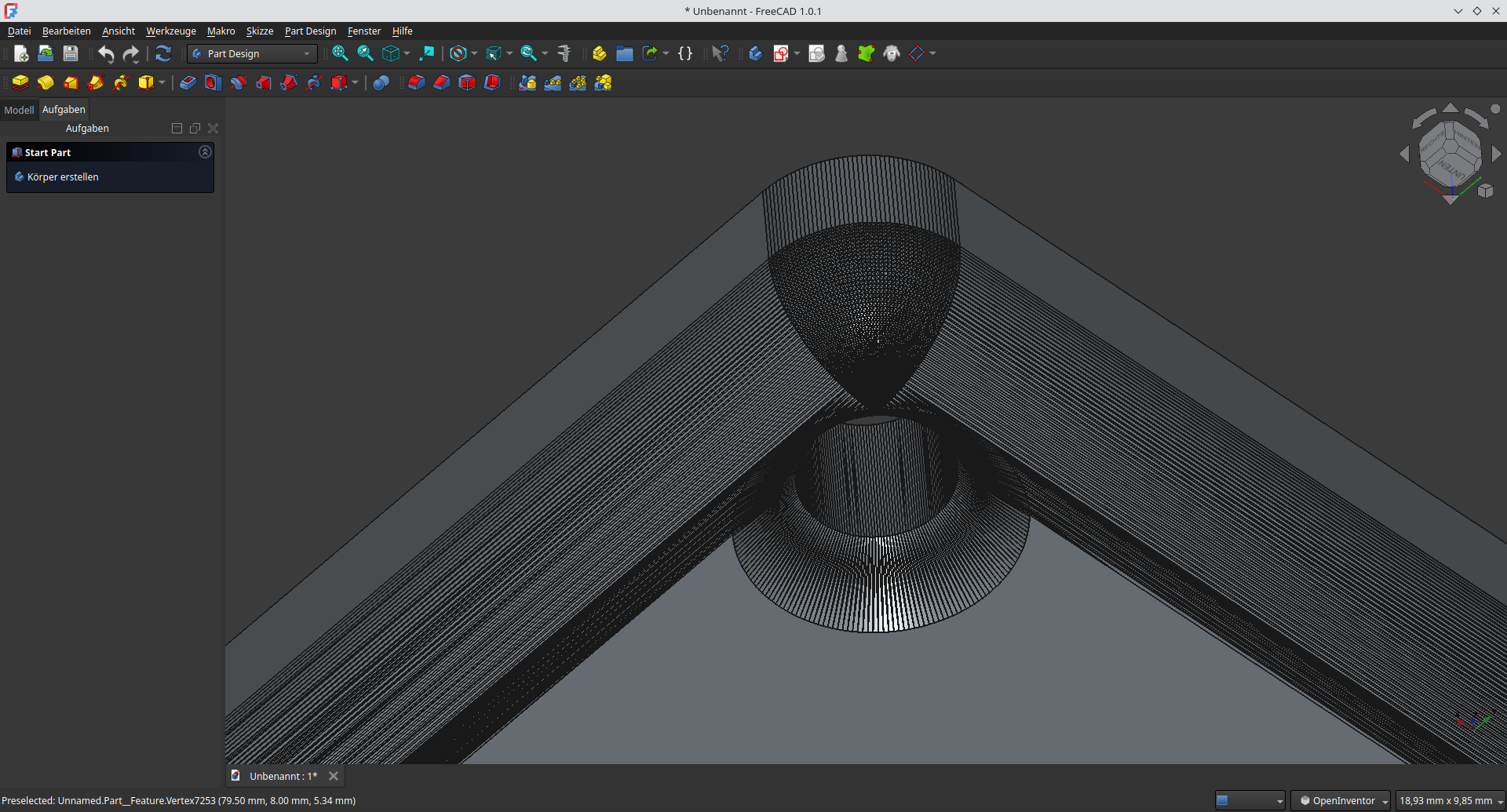
Komplexes Beispiel
Rundungen werden noch nicht unterstützt!
STL to Wireframe
Aus einem STL File ein Drahtgitter rendern:
https://github.com/osresearch/papercraft/blob/master/hiddenwire.c → Fork: https://gitea.fablabchemnitz.de/vmario/papercraft
./hiddenwire --no-hidden --prune 1 -v < nyc-50000.stl --camera 400,60,-600 --lookat 450,0,-800 --up 0,1,0 --fov 20 > test3.svgSTL Viewers and Thumbnail Generators
Mayo
https://github.com/fougue/mayo
stl-thumbnailer (Fedora 34)
- Unterstützt *.scad und *.stl
- funktioniert für *.stl aber nicht für uppercase *.STL. Man muss dies per Hand unbenennen
- funktioniert nur für binary STLs. Selbst wenn stl-thumbnailer für STL-Dateien statt OpensCAD die Software stl-thumb verwendet, wird nur binary untestützt, obwohl stl-thumb an sich ASCII unterstützt. Hier kann "/usr/share/thumbnailers/stl.thumbnailer" editiert werden
vim /usr/share/thumbnailers/stl.thumbnailerExec=/bin/stl-thumb %i %o --size %shttps://github.com/vmario89/stl-thumbnailer
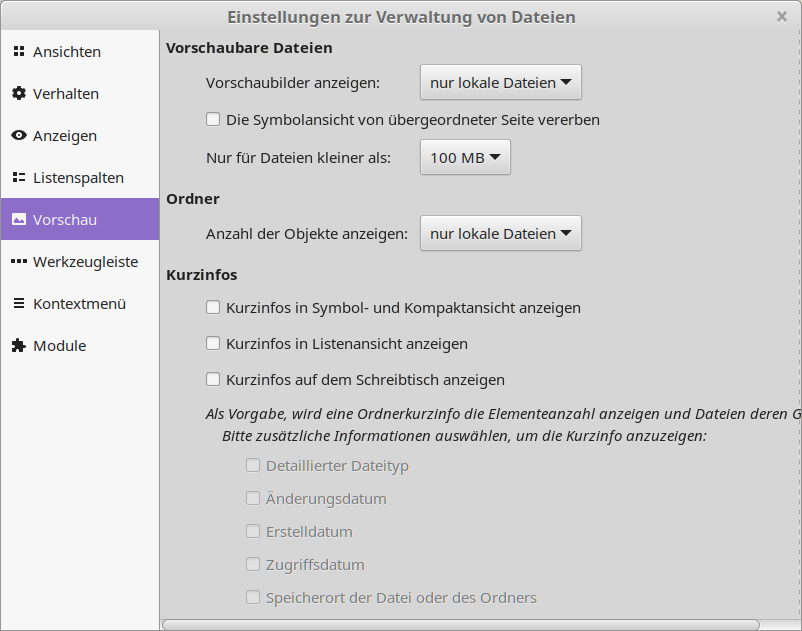
If some preview files are not generated just configure the maximum file preview size from default of 1 MB to 1 GB
stl-thumb
Windows und Ubuntu/Debian:
https://github.com/unlimitedbacon/stl-thumb
Fedora:
cd ~
git clone https://github.com/unlimitedbacon/stl-thumb.git
cd stl-thumb
sudo dnf install cargo
cargo build
cp ~/stl-thumb/target/debug/stl-thumb /bin/ #copy stl-thumb executable to binaries
Marlin3dprintertool
Download
https://marlin3dprintertool.se/stl-thumbnail
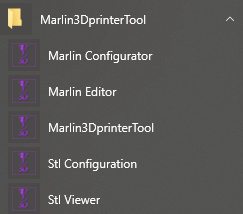
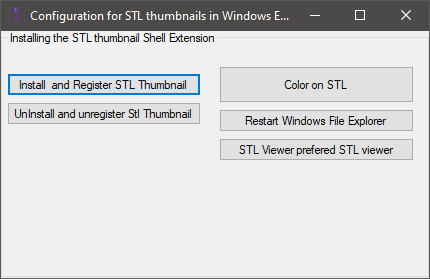
Start "Stl Configuration" tool
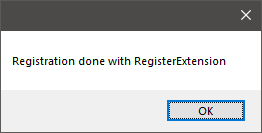
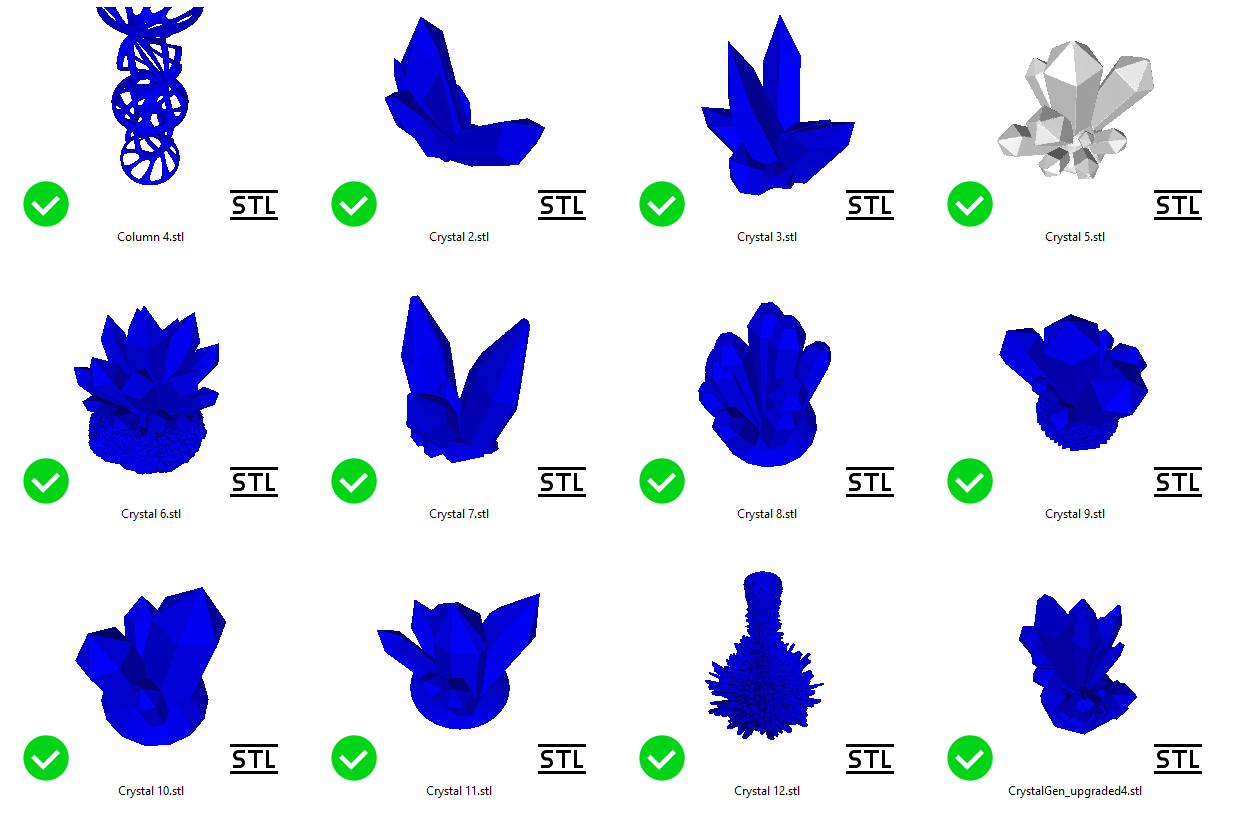
Register the extension
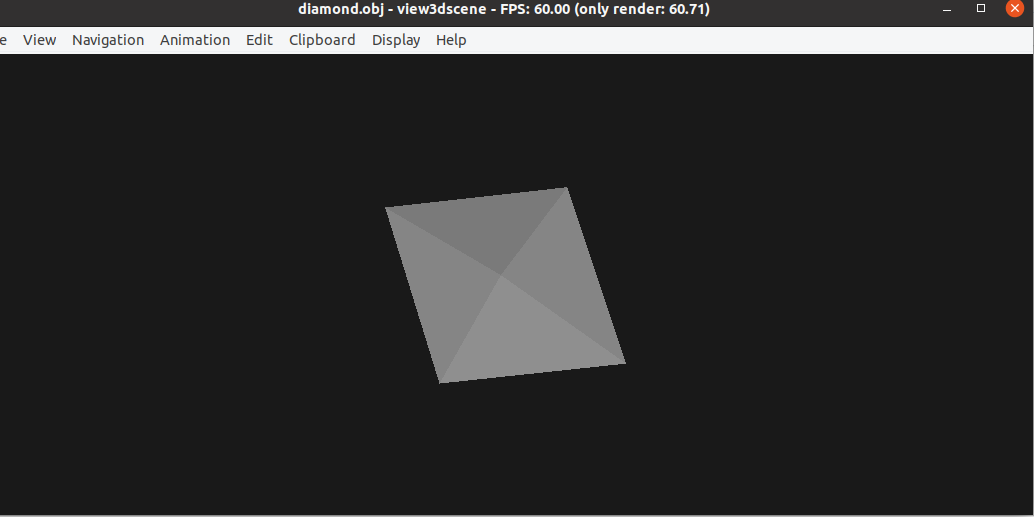
view3dscene (Castle Game Engine)
https://castle-engine.io/view3dscene.php
can open other important formats like obj
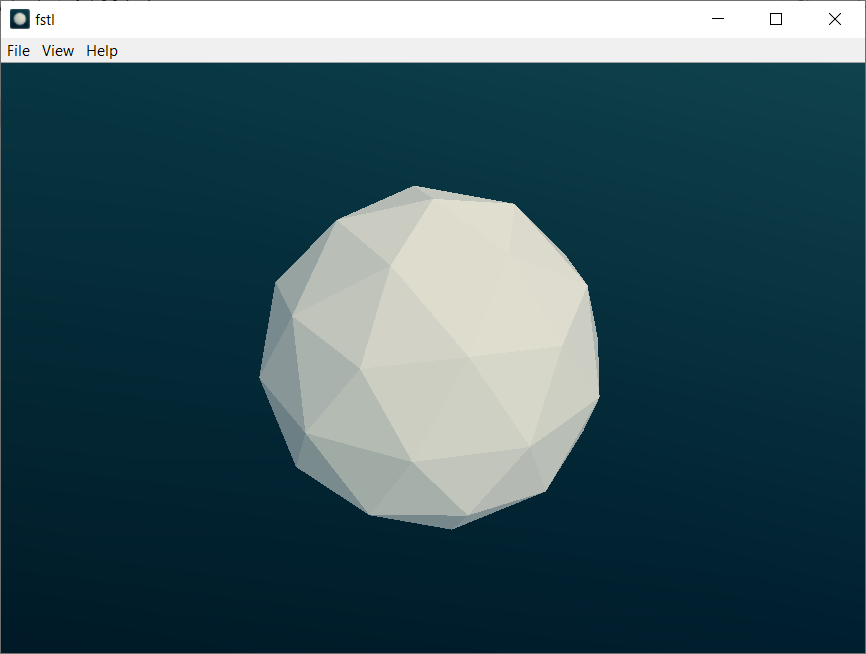
fstl
Speedy and easy stl viewer for all relevant know OS platforms.
https://github.com/mkeeter/fstl
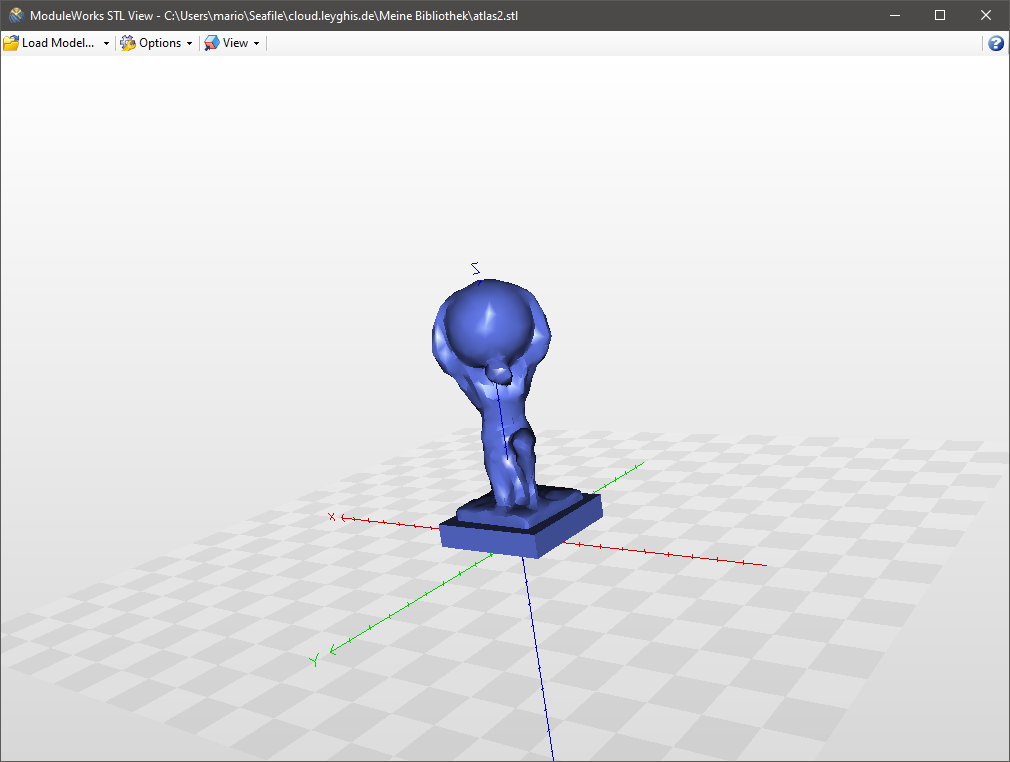
ModuleWorks STLView
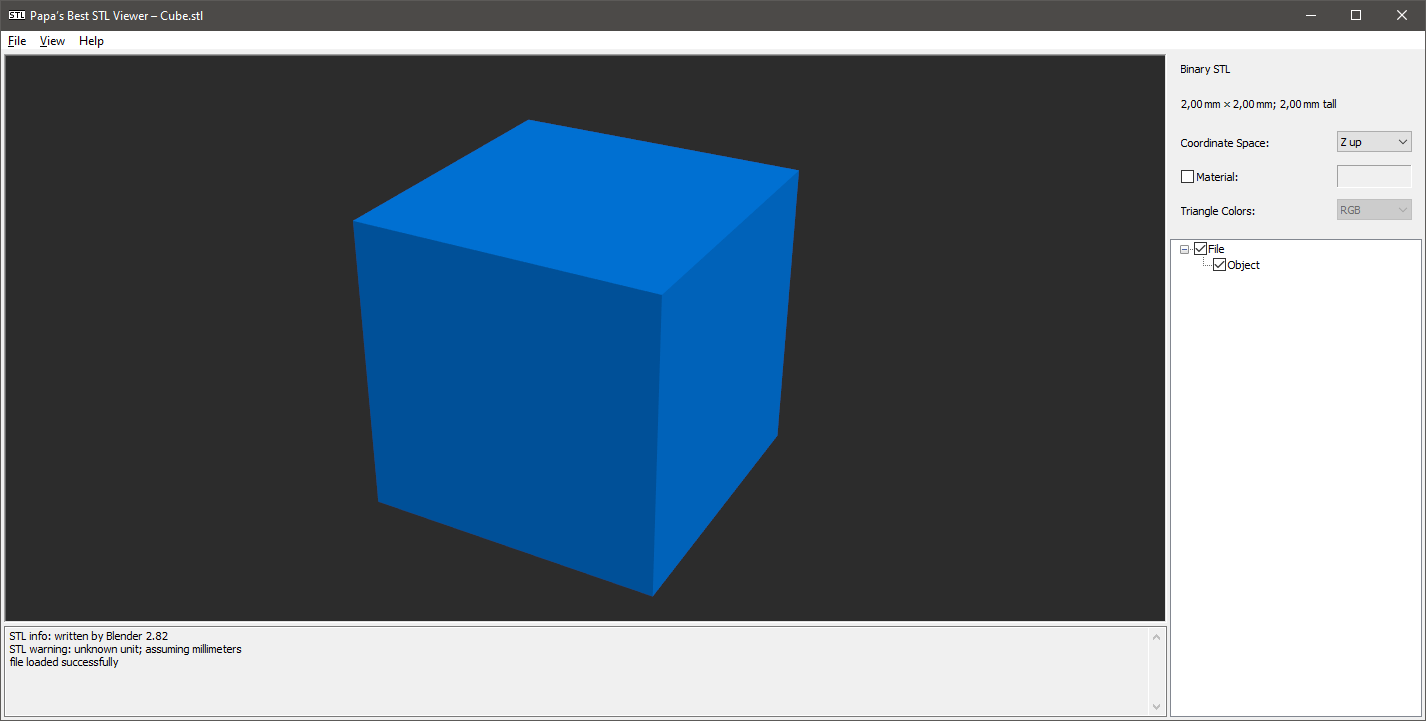
Papa's Best STL Viewer
F3D
works for a lot of formats, like DXF, STEP, STL, ...
.dxf thumbnail is not shown correctly for 2D DXF
Make it compatible to Fedora:
sudo dnf install alien
sudo alien --to-rpm -vv f3d-1.3.1-Linux.deb
sudo rpm -ivh f3d-1.3.1-2.x86_64.rpm --nodeps --force

#th thumbnailer gets installed to /usr/share/thumbnailers/
Fix to rotate dxf 90° by adding --up parameter:
cat /usr/share/thumbnailers/f3d.thumbnailer [Thumbnailer Entry]
Type=X-Thumbnailer
Name=f3d Thumbnailer
TryExec=f3d
Exec=f3d --dry-run -sta --up=-Z --no-background --output=%o --resolution=%s,%s %i
MimeType=application/vnd.3ds;application/gml+xml;application/dicom;model/gltf-binary;model/gltf+json;application/vnd.mhd;application/vnd.nrrd;model/obj;application/vnd.ply;application/vnd.pts;model/stl;application/x-tgif;model/vrml;application/vnd.vtk;application/vnd.vtp;application/vnd.vtu;application/vnd.vtr;application/vnd.vti;application/vnd.vts;application/vnd.vtm;model/iges;application/vnd.step;application/vnd.fbx;application/vnd.dae;image/vnd.dxf;application/vnd.off;application/vnd.abc;application/vnd.exodus