Webcam streaming with mjpg-streamer
The webcam used at Trikarus is used to deal for monitoring purposes and timelapse videos. Public embedding of the screen would create much traffic so we keep it for internal use only. It's stream is embedded into Repetier Server, Duet Web Control, Grafana, Instar Mobile App and screenshots are sent by email once per day. The main target is to make timelapse videos while printing large objects or for testing. This shall help to analyse the printing routines.
Installation of mjpg_streamer (Repetier Server script)
https://www.repetier-server.com/setting-webcam-repetier-server-linux
sudo apt-get update
sudo apt-get install libjpeg8-dev imagemagick libv4l-dev v4l-utils make gcc git cmake g++
git clone https://github.com/jacksonliam/mjpg-streamer.git
cd mjpg-streamer/mjpg-streamer-experimental/
cmake -G "Unix Makefiles"
make
sudo make install

#test
/usr/local/bin/mjpg_streamer -i "input_uvc.so -r 1280x720 -d /dev/video0 -f 30" -o "output_http.so -p 8080 -w /usr/local/share/mjpg-streamer/www"
#access it on http://hangdevice:8080

sudo su
cd /usr/local
wget http://download.repetier-server.com/files/server/extras/mjpgstreamer-init-debian/Repetier-Setup.zip
unzip Repetier-Setup.zip
v4l2-ctl --list-formats-ext
vim /usr/local/Repetier-Setup/etc/webcam.conf# Framerate and capture size. Bigger sizes and frequencies need more storage/ram and bandwidth so consider if
# you can handle better values or not.
WEBCAM_FRAMERATE=10
WEBCAM_WIDTH=1920
WEBCAM_HEIGHT=1080
# Default jpg quality is 85%
WEBCAM_QUALITY=100
# Extra paremeter for pi module when started.
WEBCAM_PICAM_PARAMS=""
# Extra parameter for usb module when started.
WEBCAM_USB_PARAMS=""
# Is this a pi where a picam could be connected? yes or no
IS_PI="no"
# Path to
MJPG_STREAMER=/usr/local/bin/mjpg_streamer
MJPG_PLUGIN_DIR=/usr/local/lib/mjpg-streamer
MJPG_WWW_DIR=/usr/local/share/mjpg-streamer/www
# WEBCAM_DIR is used for naming video devices
# /dev/v4l/by-id/* Is to use the device names. It is not important where you plug it in
# /dev/v4l/by-path/* Is to use th eusb port plugged in to identify webcams. Use this if you have identical names
WEBCAM_DIR=/dev/v4l/by-path/*Do not raise the fps to values higher than 10 because Firefox starts lagging/freezing. Details can be found at https://forum.repetier.com/discussion/comment/32058#Comment_32058. In Chrome it was tested to rn with 30 fps totally fluent.
cd /usr/local/Repetier-Setup/bin
chmod 755 installWebcam2
./installWebcam2 install
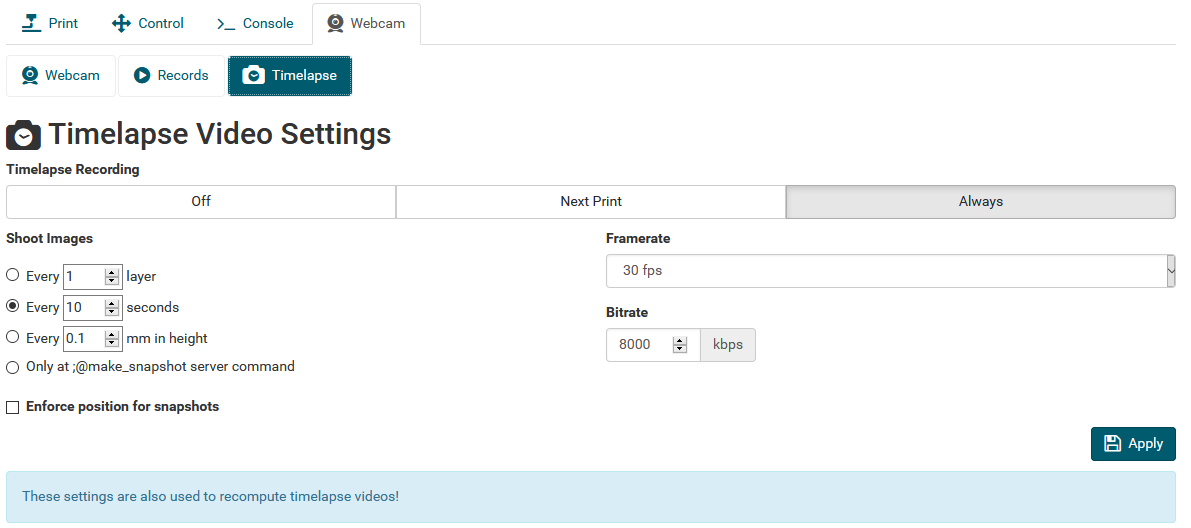
Repetier Server settings
Configure
- shoot images every 10 seconds
- framerate: 30 fps
- bitrate: 8000 kbps
Warning: after a finished print the Raspberry Pi has higher system load because it will generate a timelapse video file. This can take into account more than an hour. The CPU temperature will rise
Adjusting webcam parameters (zoom, fokus, etc.)
https://www.kurokesu.com/main/2016/01/16/manual-usb-camera-settings-in-linux
#get modes of camera
v4l2-ctl -d /dev/video0 --list-ctrls
                     brightness (int)    : min=0 max=255 step=1 default=128 value=128
                       contrast (int)    : min=0 max=255 step=1 default=128 value=128
                     saturation (int)    : min=0 max=255 step=1 default=128 value=128
 white_balance_temperature_auto (bool)   : default=1 value=1
                           gain (int)    : min=0 max=255 step=1 default=0 value=255
           power_line_frequency (menu)   : min=0 max=2 default=2 value=2
      white_balance_temperature (int)    : min=2000 max=6500 step=1 default=4000 value=2645 flags=inactive
                      sharpness (int)    : min=0 max=255 step=1 default=128 value=128
         backlight_compensation (int)    : min=0 max=1 step=1 default=0 value=0
                  exposure_auto (menu)   : min=0 max=3 default=3 value=3
              exposure_absolute (int)    : min=3 max=2047 step=1 default=250 value=666 flags=inactive
         exposure_auto_priority (bool)   : default=0 value=1
                   pan_absolute (int)    : min=-36000 max=36000 step=3600 default=0 value=0
                  tilt_absolute (int)    : min=-36000 max=36000 step=3600 default=0 value=0
                 focus_absolute (int)    : min=0 max=250 step=5 default=0 value=0 flags=inactive
                     focus_auto (bool)   : default=1 value=1
                  zoom_absolute (int)    : min=100 max=500 step=1 default=100 value=100

#get specific value only
v4l2-ctl -d /dev/video0 --get-ctrl=zoom_absolute
zoom_absolute: 100

#set new values
v4l2-ctl -d /dev/video0 --set-ctrl=focus_auto=0
v4l2-ctl -d /dev/video0 --set-ctrl=focus_absolute=150
v4l2-ctl -d /dev/video0 --set-ctrl=zoom_absolute=100
The same settings can also be done with
apt-get install uvcdynctrl
uvcdynctrl -c
Embedding of the webcam
The used webcam does not allow to flip the image by software settings. For this reason we have to rotate the image afterwards. In the different software (Repetier Server, DWC, Grafana) this can be done different ways. For embedding in Grafana a simple CSS transformation ca be used:
<center><img src="http://localhost:8080/?action=stream"/ style="transform:rotate(180deg);"></center>(Re)start mjpg_streamer
service mjpg_streamer status
lsof -i tcp:8080
service mjpg_streamer restart

#in failure case (unclosed web sockets) - force webcam kill
pkill -9 mjpg_streamer
Raspbian Buster v4l-utils fix (0 fps, 0x0 resolution) →Since Buster the output of "/usr/bin/v4l2-ctl --list-formats-ext -d /dev/video0" is different than on Jessie or Stretch. See https://forum.repetier.com/discussion/7144/repetier-server-linux-webcam-script-chokes-on-raspian-buster/p1 for fix.
mjpgStart script modification
While resetting USB devices it sometimes happens that /dev/video$NR number changes. This leads to wrong port mapping for mjpg_streamer. The following modification was done to ensure that the webcam always appears on port 8080 and accepts random device number
#!/bin/bash

DIR="$( cd "$( dirname "${BASH_SOURCE[0]}" )" && pwd )"
cd $DIR
. ../etc/webcam.conf

DEV=$(ls -l /dev/v4l/by-id | grep "C920" | head -n1 | awk -F ' ' '{print $11}' | cut -c12)
PORT=8080
IFS=$'\n'
VIDEO="/dev/video${DEV}"
VIDEO_TEST=$(/usr/bin/v4l2-ctl --list-formats-ext -d $VIDEO)
MJPG_TEST=$(echo "$VIDEO_TEST" | /bin/grep "Pixel Format: 'MJPG' (compressed)")
MJPG_PARAM_YUYV=""
PIXEL_FORMAT="MJPG"
if [ "$MJPG_TEST" == "" ]; then
    MJPG_PARAM_YUYV=" -y"
    PIXEL_FORMAT="YUYV"
    echo "Webcam does not support MJPG - using slower YUYV instead!"
fi
echo $PIXEL_FORMAT
BEST_WIDTH=0
BEST_HEIGHT=0
BEST_FRAMERATE=0
BEST_ERROR=$(($WEBCAM_WIDTH * $WEBCAM_HEIGHT))
IN_FORMAT=0
for AP in $VIDEO_TEST; do
     if [[ $AP =~ Pixel[[:space:]]Format:.*\'(.*)\' ]]; then
        CUR_FORMAT=${BASH_REMATCH[1]}
        IN_FORMAT=0
        if [[ "$CUR_FORMAT" == "$PIXEL_FORMAT" ]]; then
                IN_FORMAT=1
                IN_FR=0
        fi
     fi
     if (( $IN_FORMAT == 1 )); then
       if [[ "$AP" =~ Size:.Discrete.([0-9]+)x([0-9]+) ]]; then
         ACT_W=${BASH_REMATCH[1]}
         ACT_H=${BASH_REMATCH[2]}
         ACT_ERROR=$(( ($WEBCAM_WIDTH * $WEBCAM_HEIGHT) - ($ACT_W * $ACT_H) ))
         if (( $ACT_ERROR < 0 )); then
           ACT_ERROR=$(( -$ACT_ERROR ))
         fi
         if (( $ACT_ERROR < $BEST_ERROR )); then
           BEST_ERROR=$ACT_ERROR
           BEST_FRAMERATE=0
           BEST_WIDTH=$ACT_W
           BEST_HEIGHT=$ACT_H
           IN_FR=1
         else
           IN_FR=0
         fi
       fi
       if (( $IN_FR == 1 )); then
         if [[ "$AP" =~ Interval.*\(([0-9]+)\.000 ]]; then
            ACT_FR=${BASH_REMATCH[1]}
            if (( $ACT_FR >= $WEBCAM_FRAMERATE )) || (( $BEST_FRAMERATE == 0 )); then
              BEST_FRAMERATE="${ACT_FR}"
            fi
         fi
       fi
     fi
   done
echo "Best resolution: $BEST_WIDTH x $BEST_HEIGHT at $BEST_FRAMERATE"
echo "${MJPG_STREAMER} -i \"${MJPG_PLUGIN_DIR}/input_uvc.so -d ${VIDEO} --fps ${BEST_FRAMERATE} -q ${WEBCAM_QUALITY} -r ${BEST_WIDTH}x${BEST_HEIGHT}${MJPG_PARAM_YUYV} ${WEBCAM_USB_PARAMS}\" -o \"${MJPG_PLUGIN_DIR}/output_http.so -p ${PORT} -w ${MJPG_WWW_DIR}\" -b"
${MJPG_STREAMER} -i "${MJPG_PLUGIN_DIR}/input_uvc.so -d ${VIDEO} --fps ${BEST_FRAMERATE} -q ${WEBCAM_QUALITY} -r ${BEST_WIDTH}x${BEST_HEIGHT}${MJPG_PARAM_YUYV} ${WEBCAM_USB_PARAMS}" -o "${MJPG_PLUGIN_DIR}/output_http.so -p ${PORT} -w ${MJPG_WWW_DIR}" -b
Install ffmpeg and configure (for timelapse use on Repetier Server)
https://www.repetier-server.com/knowledgebase/timelapse-problems
apt install ffmpeg
which ffmpeg
# /usr/bin/ffmpeg
mjpg Webstream on SSL with password (required for Duet Web Control and Grafana)
Port 8080 is blocked by iptables. We use SSL and password secured port 8081
vim /etc/apache2/ports.conf → enable port 8081
<VirtualHost *:8081>
	ServerName localhost
	ServerAdmin project_hangprinter@fablabchemnitz.de
	SSLEngine on
	SSLCertificateFile /etc/ssl/certs/trikarus.pem
	SSLCertificateKeyFile /etc/ssl/private/trikarus-key.pem
    <Location "/">
        AuthType Basic
        AuthName "Authentication Required"
        AuthUserFile "/etc/apache2/htusers"
        Require valid-user
		ProxyPass http://localhost:8080/
		ProxyPassReverse http://localhost:8080/
	</Location>
	ErrorLog ${APACHE_LOG_DIR}/error-mjpeg.log
	CustomLog ${APACHE_LOG_DIR}/access-mjpeg.log combined
</VirtualHost>
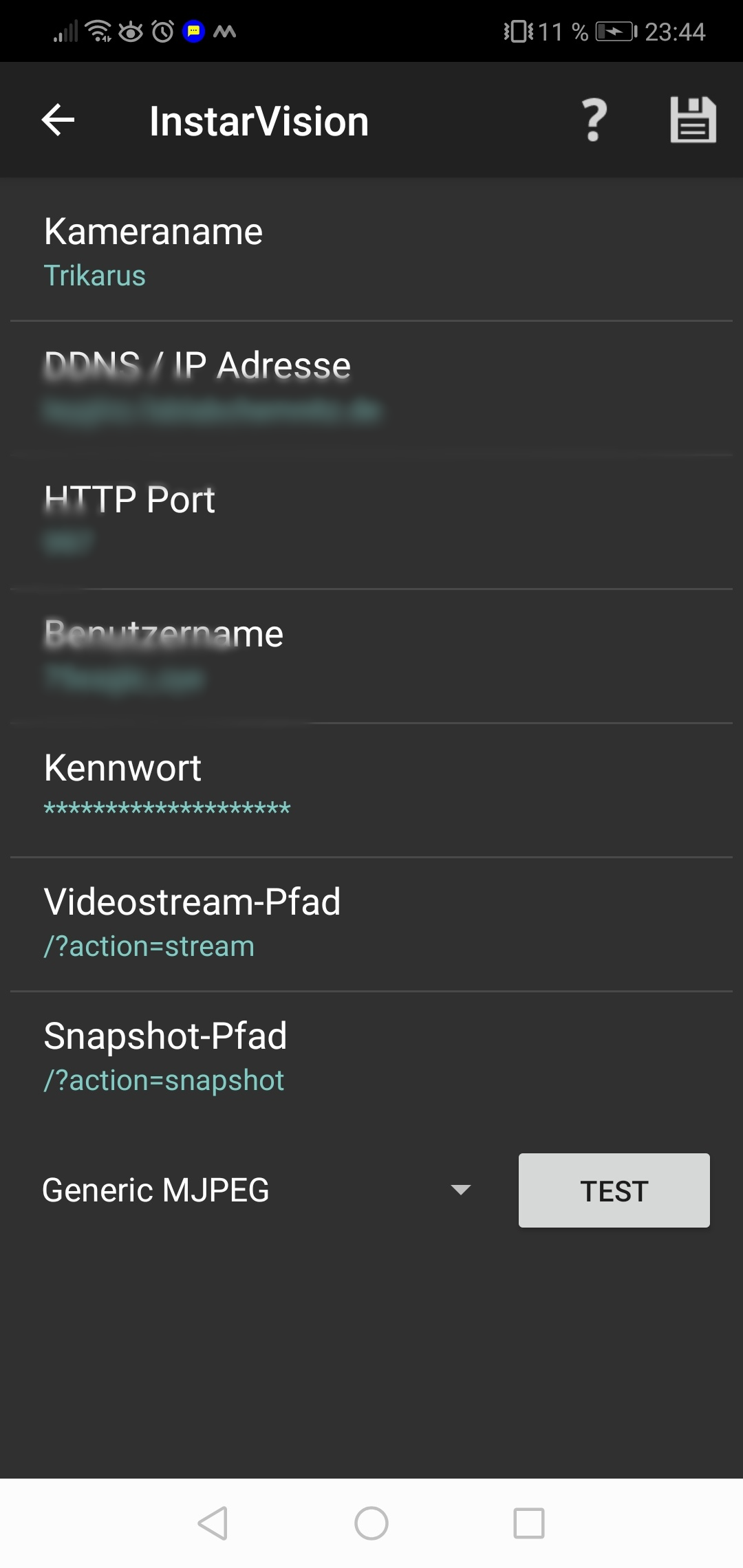
mjpg Webstream with Instar Vision App for Android (disabled)
<VirtualHost *:<PORT>>
    ServerName domain.de
    ServerAdmin address@mail.server
    ErrorLog ${APACHE_LOG_DIR}/error-trikarus-mjpeg.log
    CustomLog ${APACHE_LOG_DIR}/access-trikarus-mjpeg.log combined
    ProxyRequests Off
    ProxyPreserveHost On
    ProxyPass / http://192.168.11.2:8080/ flushpackets=on Keepalive=On
        <Location "/*">
            AuthType Basic
        AuthName "Authentication Required"
        AuthUserFile "/etc/apache2/htusers"
        Require valid-user
        </Location>
</VirtualHost>
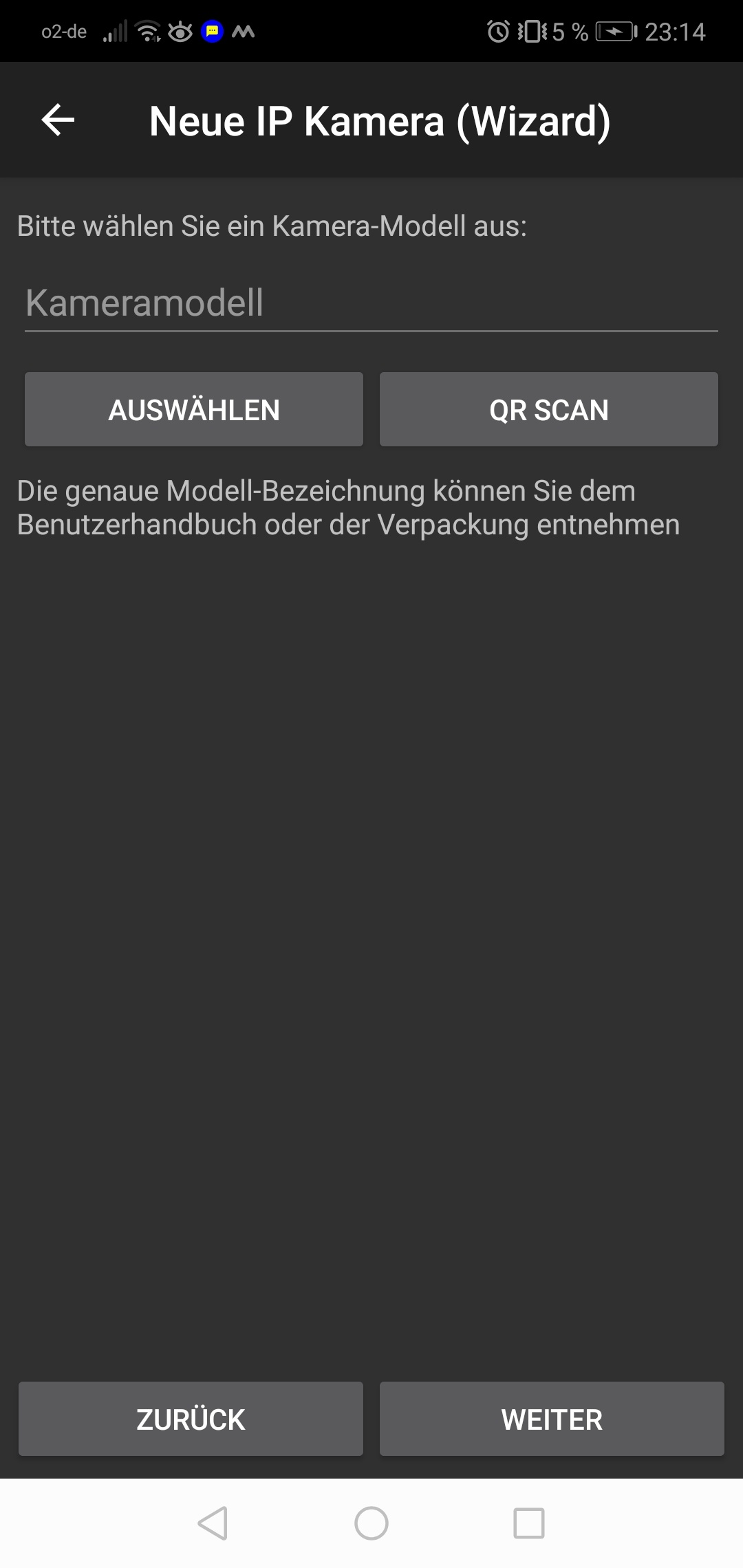
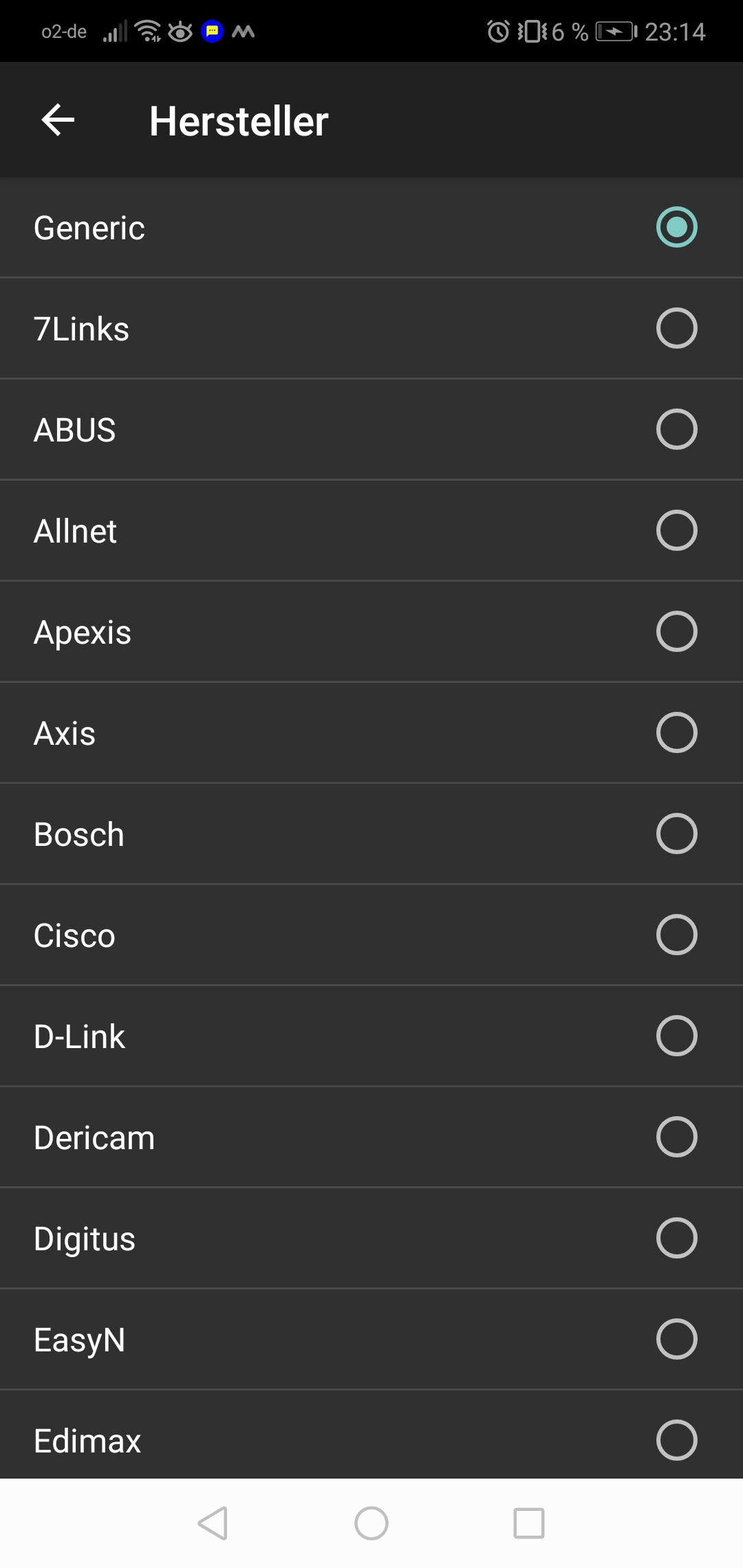
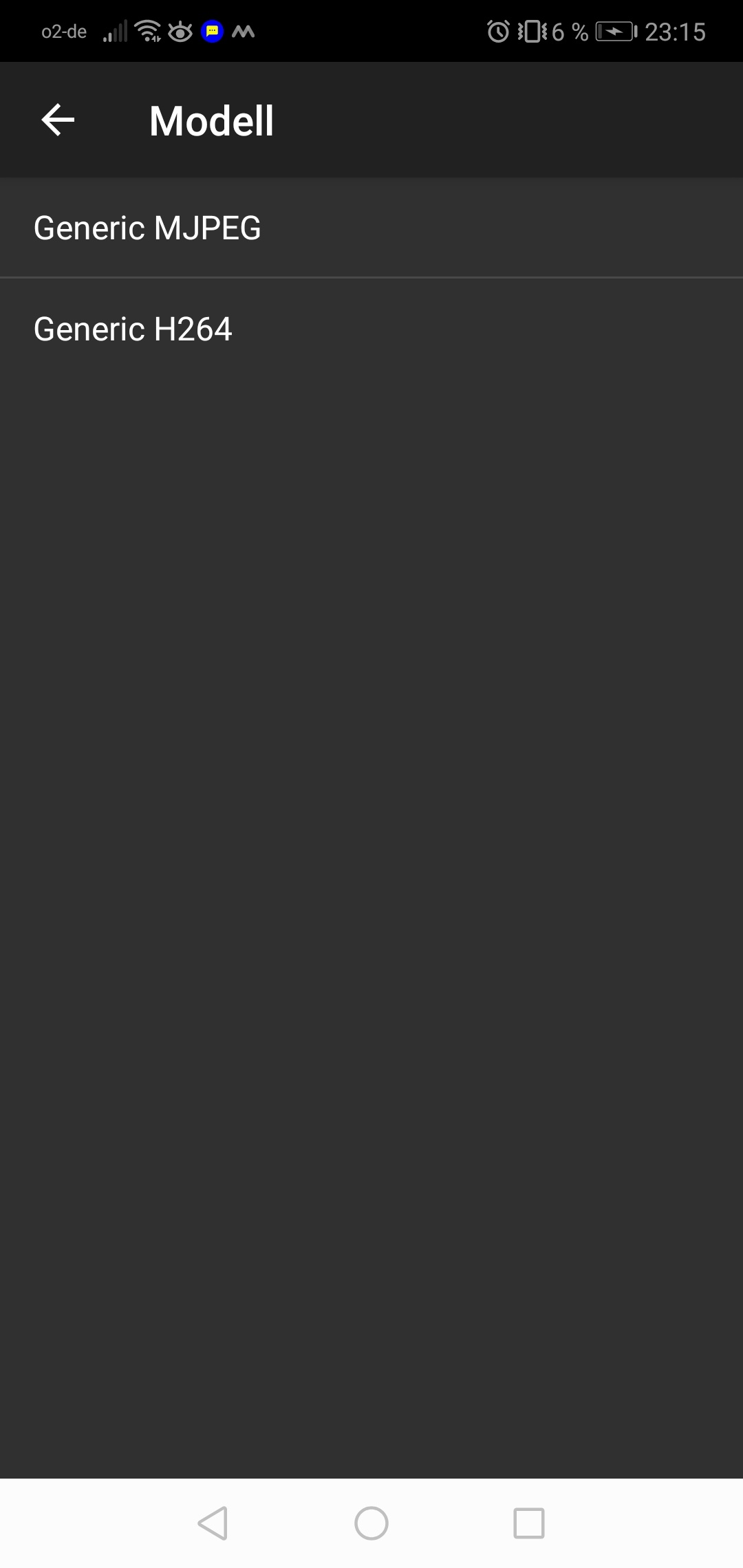
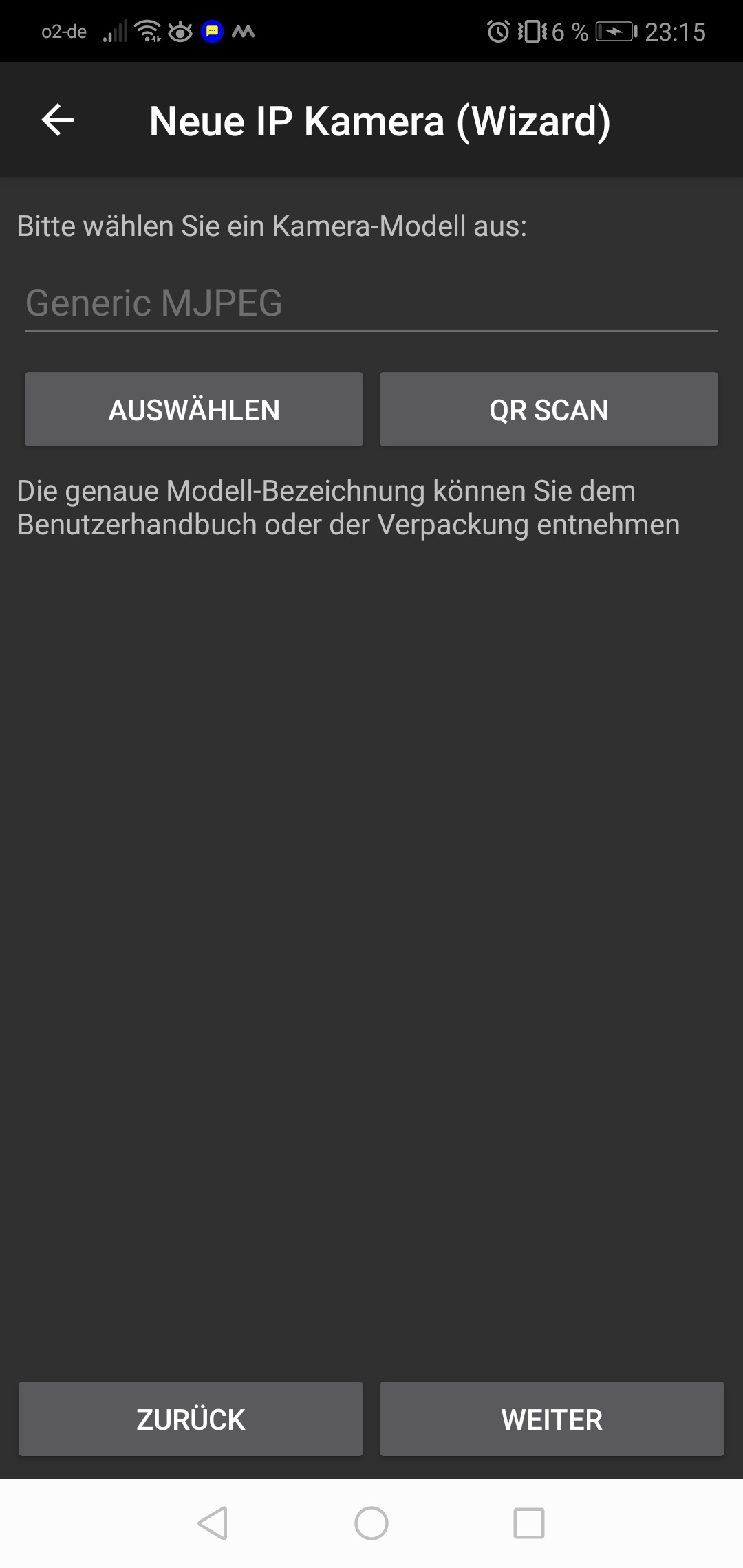
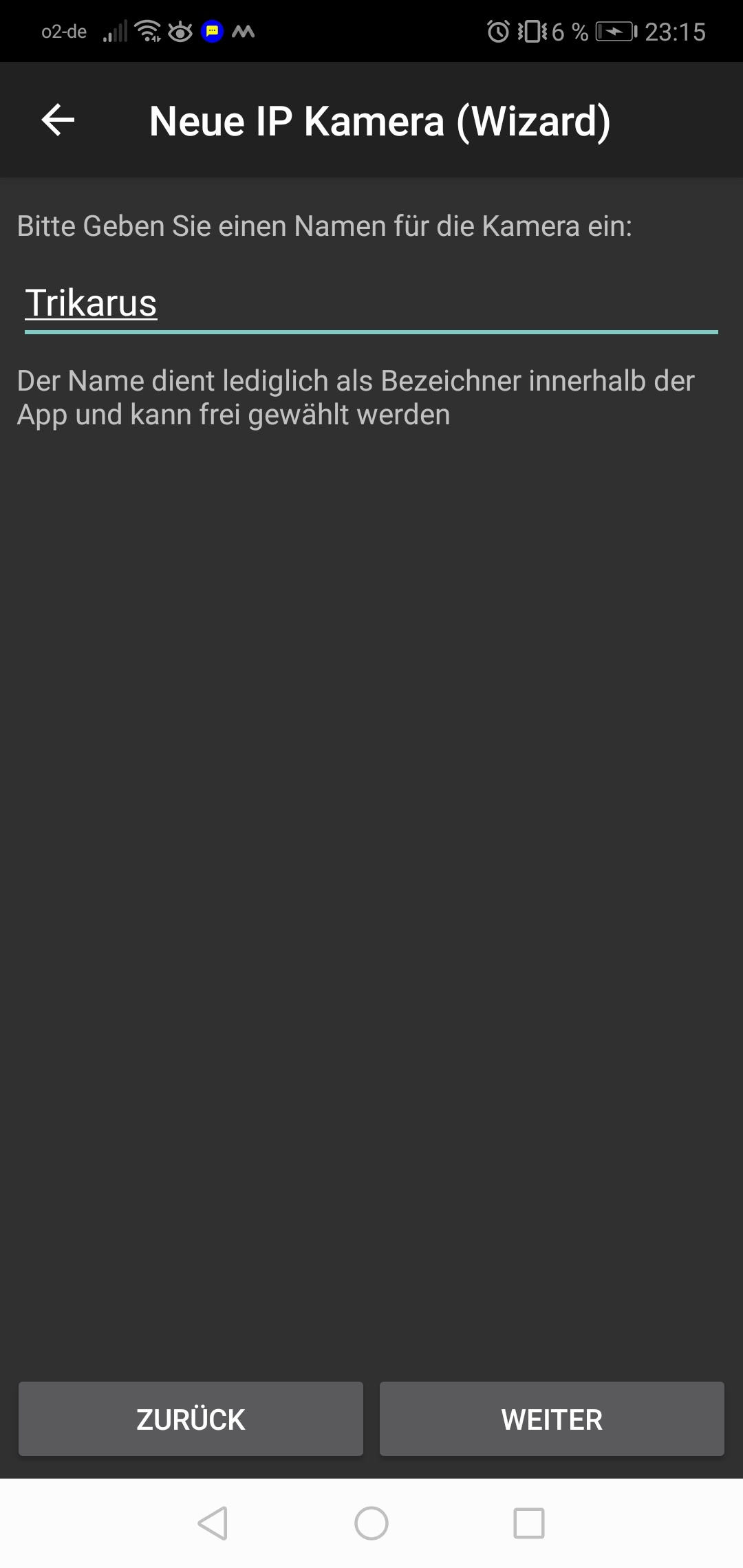
Instar supports mpjeg streams only with http - https does not work! Also the picture can not be rotated here!
Webcam images by mail
This script sends a webcam snapshot embedded into Email. It's just some kind of reminder to have a look at the print 
/etc/cron.d/sendcamimage
SHELL=/bin/bash
PATH=/usr/lib/sysstat:/usr/sbin:/usr/sbin:/usr/bin:/sbin:/bin
*/10 * * * * root /opt/sendcamimage.sh > /dev/null 2>&1
/opt/sendcamimage.sh
#/bin/bash

#generate some random hash
HASH=$(cat /dev/urandom | tr -dc 'A-Z0-9' | fold -w 25 | head -n 1)
HASH2=$(cat /dev/urandom | tr -dc 'A-Z0-9' | fold -w 8 | head -n 1)
HASH3=$(cat /dev/urandom | tr -dc 'A-Z0-9' | fold -w 8 | head -n 1)

#send it with sendmail using a static template (except the dynamic base64 statement)

TO="project_hangprinter@fablabchemnitz.de"
FROM="project_hangprinter@fablabchemnitz.de"
SUBJECT="mjpeg_streamer $(date +"%d.%m.%Y %T")"

#check cam availability
ls /dev/ttyUSB-LOGITECH-C920
status=$?
if ! [ $status -eq 0 ]; then
	ERRMSG="Error: Webcam is not online! Please check USB device!"
	echo $ERRMSG
    echo "" | mail -s "$ERRMSG" $TO
	exit 1
fi

#else continue sending the snapshot
curl http://localhost:8080/?action=snapshot --output /tmp/snapshot.jpg

#rotate the image by 180 degrees using imagemagick's convert tool
convert -rotate "180" /tmp/snapshot.jpg /tmp/snapshot.jpg

sendmail -t <<EOT
To: $TO
From: $FROM
Subject: $SUBJECT
MIME-Version: 1.0
Content-Type: multipart/related;
 boundary="------------${HASH}"


--------------${HASH}
Content-Type: text/html; charset=utf-8
Content-Transfer-Encoding: 7bit

<html>
  <head>
    <meta http-equiv="content-type" content="text/html; charset=UTF-8">
  </head>
  <body>
    <p><img src="cid:part1.${HASH2}.${HASH3}@fablabchemnitz.de" alt=""></p>
  </body>
</html>

--------------${HASH}
Content-Type: image/png;
 name="snapshot.png"
Content-Transfer-Encoding: base64
Content-ID: <part1.${HASH2}.${HASH3}@fablabchemnitz.de>
Content-Disposition: inline;
 filename="snapshot.png"

$(base64 /tmp/snapshot.jpg)
--------------${HASH}--

EOT
Sending image as attachment instead can easily done by replacing bash content to:
curl http://user:password@host.de/?action=snapshot --output snapshot.jpg && echo -e "mpjeg_streamer $(date +"%d.%m.%Y %T")\n" | mail --attach="./snapshot.jpg" --subject="mpjeg_streamer $(date +"%d.%m.%Y %T")" somemailaccount@host.deTroubleshooting
Webcam shows no image
Problem description
This problem mostly belongs to undervoltage problem and the error with USB device addressing
[ 55.651885] usb 1-1.5: device not accepting address 11, error -110
[ 55.751888] usb 1-1.5: new high-speed USB device number 13 using dwc_otg
[ 66.291906] usb 1-1.5: device not accepting address 13, error -110
[ 66.292050] usb 1-1-port5: unable to enumerate USB device
Solution
- if power problem
- trigger PSU relay to switch off PSU (by Repetier Server or by command line)
- trigger uhubctl script to power down USB hub
- trigger uhubctl script to power up USB hub again after some seconds
- trigger PSU relay to switch on PSU again
- a regular reboot of hangdevice does not help. You need to de-power the devices for a short amount of time
- if mpjeg_streamer problem
- check port 8080 if mjpeg_streamer is running
- maybe restart mjpeg_streamer
- check if mjpeg_streamer is running at other ports instead, e.g. 8081