# AutoHotkey Emergency Button script

We use this script in local mode to have a quick emergency halt possibilty. **Never use this over internet. Only use local network connection!**

## Download portable AutoHotKey

[https://www.autohotkey.com/download/](https://www.autohotkey.com/download/)

[https://github.com/Lexikos/AutoHotkey\_L/releases](https://github.com/Lexikos/AutoHotkey_L/releases)

[![grafik.png](https://wiki.stadtfabrikanten.org/uploads/images/gallery/2026-06/scaled-1680-/CpX252YQv2VpXeuX-grafik.png)](https://wiki.stadtfabrikanten.org/uploads/images/gallery/2026-06/CpX252YQv2VpXeuX-grafik.png)

Extract the files to some safe place

## Download curl.exe for Windows

[https://curl.haxx.se/windows](https://curl.haxx.se/windows/)

## Create script directory and files

create TrikarusEmergencyStop.ahk

```
^j::
; use "`" to escape percent sign!
; you may need to apply this script to your firewall rules to work correctly because there's an outgoing connection
Run,curl.exe "https://hangdevice:3345/printer/api/Trikarus?apikey=THEKEY&a=emergencyStop&data=" --max-time 1 --insecure

MsgBox, Triggered emergency stop! Please wait ~15 seconds until Duet 2 recovered
return
```

<p class="callout info">This script uses curl command to send emergency halt command to Repetier Server (USB) connection. That means it will also work even if Duet is not reachable over ethernet (which sometimes fails).</p>

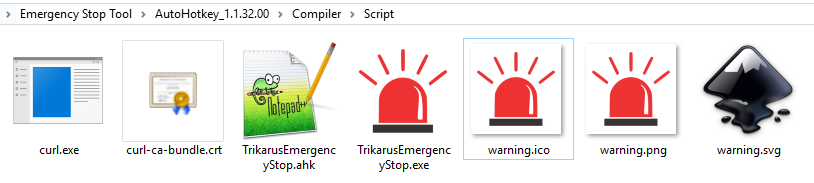
## Put curl.exe and curl-ca-bundle.crt in script dir

[![grafik.png](https://wiki.stadtfabrikanten.org/uploads/images/gallery/2026-06/scaled-1680-/QV0c9Pp8DzaLkd5N-grafik.png)](https://wiki.stadtfabrikanten.org/uploads/images/gallery/2026-06/QV0c9Pp8DzaLkd5N-grafik.png)
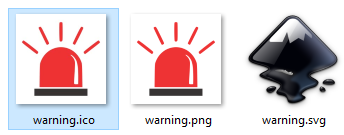
## Create an icon file (optional step)

[![grafik.png](https://wiki.stadtfabrikanten.org/uploads/images/gallery/2026-06/scaled-1680-/SpmCwlGGLHI2Eh2f-grafik.png)](https://wiki.stadtfabrikanten.org/uploads/images/gallery/2026-06/SpmCwlGGLHI2Eh2f-grafik.png)
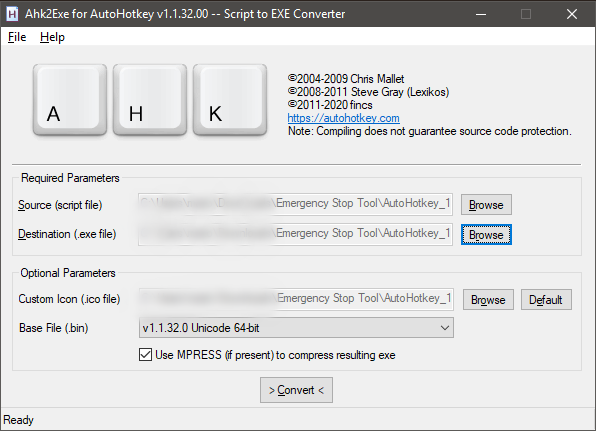
## Compile TrikarusEmergencyStop.exe

Run Ahk2Exe.exe to configure the output conversion parameters

[![grafik.png](https://wiki.stadtfabrikanten.org/uploads/images/gallery/2026-06/scaled-1680-/AfF4rhhoEDeu9nNp-grafik.png)](https://wiki.stadtfabrikanten.org/uploads/images/gallery/2026-06/AfF4rhhoEDeu9nNp-grafik.png)
## Use it

[![grafik.png](https://wiki.stadtfabrikanten.org/uploads/images/gallery/2026-06/scaled-1680-/5qq5nuk6Xqtw77Th-grafik.png)](https://wiki.stadtfabrikanten.org/uploads/images/gallery/2026-06/5qq5nuk6Xqtw77Th-grafik.png)
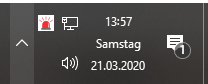
**It will listen to CTRL + J**

[![grafik.png](https://wiki.stadtfabrikanten.org/uploads/images/gallery/2026-06/scaled-1680-/OgKCXPwVwOrP7JIe-grafik.png)](https://wiki.stadtfabrikanten.org/uploads/images/gallery/2026-06/OgKCXPwVwOrP7JIe-grafik.png)
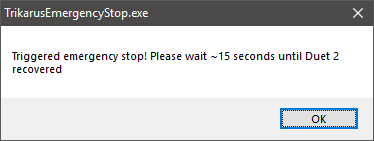
<p class="callout info">**You might need to allow firewall exceptions to use this!** </p>

If it works it will reset the controller accordingly

[![grafik.png](https://wiki.stadtfabrikanten.org/uploads/images/gallery/2026-06/scaled-1680-/ELVuqVTETl6WZSWi-grafik.png)](https://wiki.stadtfabrikanten.org/uploads/images/gallery/2026-06/ELVuqVTETl6WZSWi-grafik.png)