# Optimized with svgo (*.svg)
Source: [https://github.com/juanfran/svgo-inkscape](https://github.com/juanfran/svgo-inkscape/)
[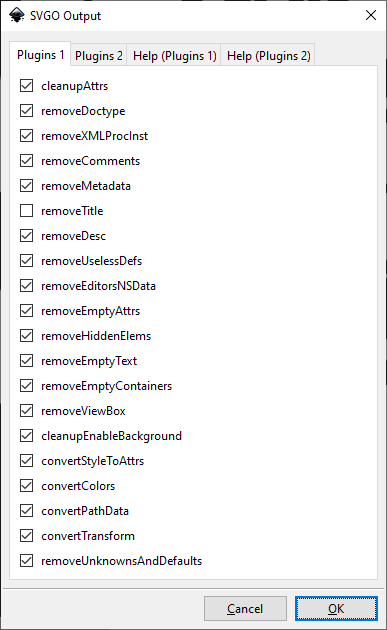](https://wiki.stadtfabrikanten.org/uploads/images/gallery/2025-05/Jl2F3Kq9bGxVsreW-grafik.png) [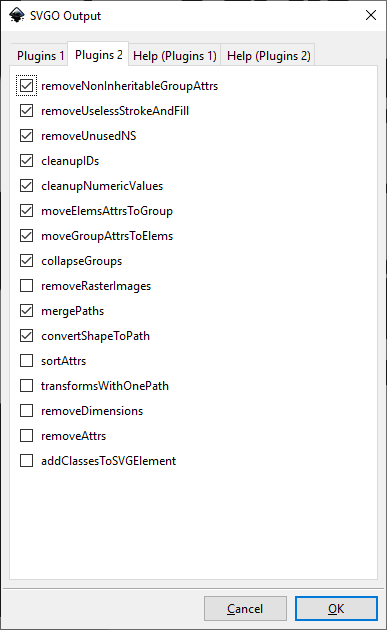](https://wiki.stadtfabrikanten.org/uploads/images/gallery/2025-05/5oNAer87KWJzwoXG-grafik.png) [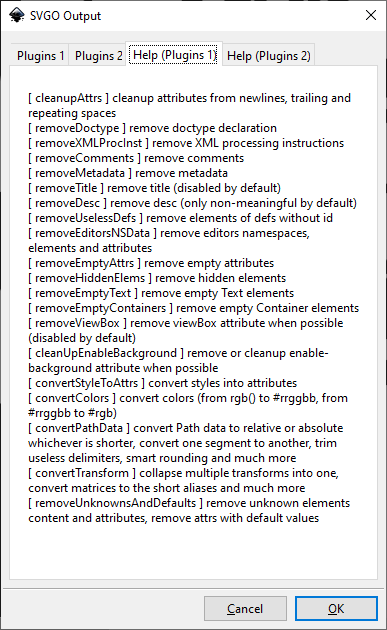](https://wiki.stadtfabrikanten.org/uploads/images/gallery/2025-05/wxywT9pkHUFf9mPN-grafik.png) [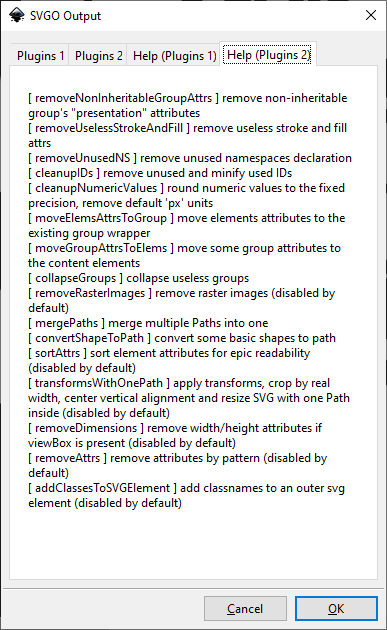](https://wiki.stadtfabrikanten.org/uploads/images/gallery/2025-05/GQrPtBTeZt1M6qgY-grafik.png)
More documentation can be found at [https://github.com/svg/svgo](https://github.com/svg/svgo)
Use this with "Save As" in "File" dialog
[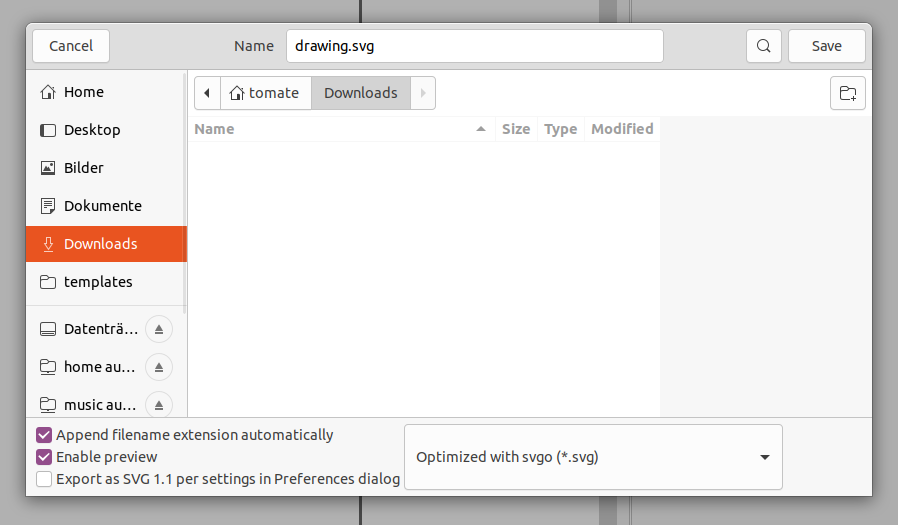](https://wiki.stadtfabrikanten.org/uploads/images/gallery/2025-05/nlJpu45tWFLOf9eq-grafik.png)
You can also use the integrated default `Save As` module of Inkscape to save an optimized SVG file. Inkscape has integrated support for [scour](https://github.com/scour-project/scour/issues/39)
[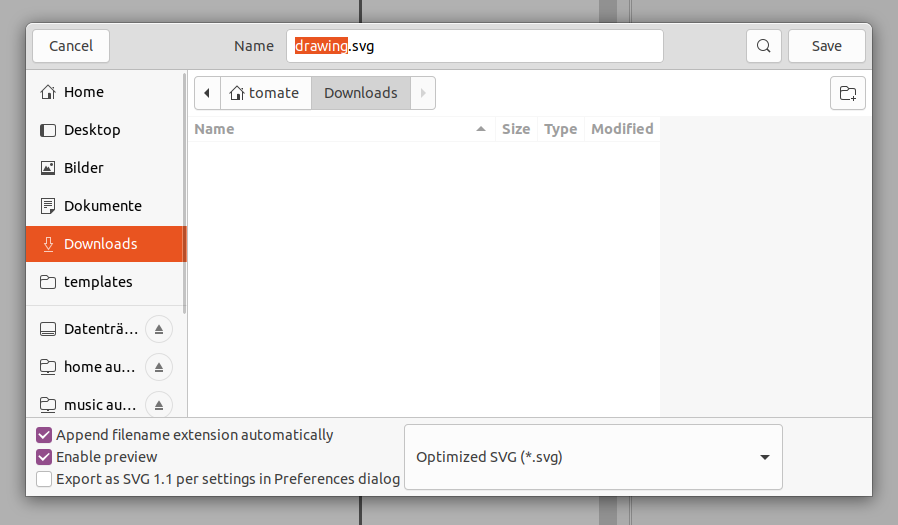](https://wiki.stadtfabrikanten.org/uploads/images/gallery/2025-05/OcBxerx82FCrgFrE-grafik.png)
Note: There's also an extension which does the same [https://github.com/konsumer/inkscape-svgo](https://github.com/konsumer/inkscape-svgo) (only compatible to Linux)