# Paths to OpenSCAD

[<span>https://wiki.fablab-nuernberg.de/w/Ding:Zahnr%C3%A4der\_mit\_Inkscape#Werkzeug-Korrektur</span>](https://wiki.fablab-nuernberg.de/w/Ding:Zahnr%C3%A4der_mit_Inkscape#Werkzeug-Korrektur)

[![grafik.png](https://wiki.stadtfabrikanten.org/uploads/images/gallery/2025-05/scaled-1680-/hhI9x2NRvfV5g2Wb-grafik.png)](https://wiki.stadtfabrikanten.org/uploads/images/gallery/2025-05/hhI9x2NRvfV5g2Wb-grafik.png) [![grafik.png](https://wiki.stadtfabrikanten.org/uploads/images/gallery/2025-05/scaled-1680-/7WBWuz32cYc30ZWa-grafik.png)](https://wiki.stadtfabrikanten.org/uploads/images/gallery/2025-05/7WBWuz32cYc30ZWa-grafik.png) [![grafik.png](https://wiki.stadtfabrikanten.org/uploads/images/gallery/2025-05/scaled-1680-/Wwa7WiMdfL9AqrVx-grafik.png)](https://wiki.stadtfabrikanten.org/uploads/images/gallery/2025-05/Wwa7WiMdfL9AqrVx-grafik.png) [![grafik.png](https://wiki.stadtfabrikanten.org/uploads/images/gallery/2025-05/scaled-1680-/1Jz0UOfMj4KS5oRH-grafik.png)](https://wiki.stadtfabrikanten.org/uploads/images/gallery/2025-05/1Jz0UOfMj4KS5oRH-grafik.png) [![grafik.png](https://wiki.stadtfabrikanten.org/uploads/images/gallery/2025-05/scaled-1680-/EffH4Irn7lhw7SCR-grafik.png)](https://wiki.stadtfabrikanten.org/uploads/images/gallery/2025-05/EffH4Irn7lhw7SCR-grafik.png)

## Example

### Draw a new gear

[![grafik.png](https://wiki.stadtfabrikanten.org/uploads/images/gallery/2025-05/scaled-1680-/LgA9jOSXuul8xrxm-grafik.png)](https://wiki.stadtfabrikanten.org/uploads/images/gallery/2025-05/LgA9jOSXuul8xrxm-grafik.png)

[![grafik.png](https://wiki.stadtfabrikanten.org/uploads/images/gallery/2025-05/scaled-1680-/tSjP7KVow6LCySTa-grafik.png)](https://wiki.stadtfabrikanten.org/uploads/images/gallery/2025-05/tSjP7KVow6LCySTa-grafik.png)

### Union paths and fill the area

[![grafik.png](https://wiki.stadtfabrikanten.org/uploads/images/gallery/2025-05/scaled-1680-/ch2dqp3MNN2pjRYY-grafik.png)](https://wiki.stadtfabrikanten.org/uploads/images/gallery/2025-05/ch2dqp3MNN2pjRYY-grafik.png)

### Save the file with a name

### Run "Paths to OpenSCAD" Plugin

- Download + Installation OpenSCAD: [https://www.openscad.org/downloads.html](https://www.openscad.org/downloads.html)
- Adjust settings if not already happened:
    
    ```bash
    Output file: "C:\Users\<YOU>\Desktop\output.scad"
    View in OpenSCAD: "<yourpath>\openscad-2019.05\openscad.exe" "output.scad"
    Convert to STL: "<yourpath>\openscad-2019.05\openscad.exe" "{NAME}.scad" -o "output.stl"
    ```
- <p class="callout warning">please use " " instead of ' ' - it won't work in a Windows environment</p>
- <p class="callout warning">please be consistent with the output file name!</p>
- "Output file" has to be named correctly with path and file name. Otherwise it will try to save under InkScape folder (which might only work if running in Administrator mode if installed in Program Files directory)
- "Apply" → export the .svg vector file to a .scad file (and additionally to a .stl file if "Convert to STL" is enabled)

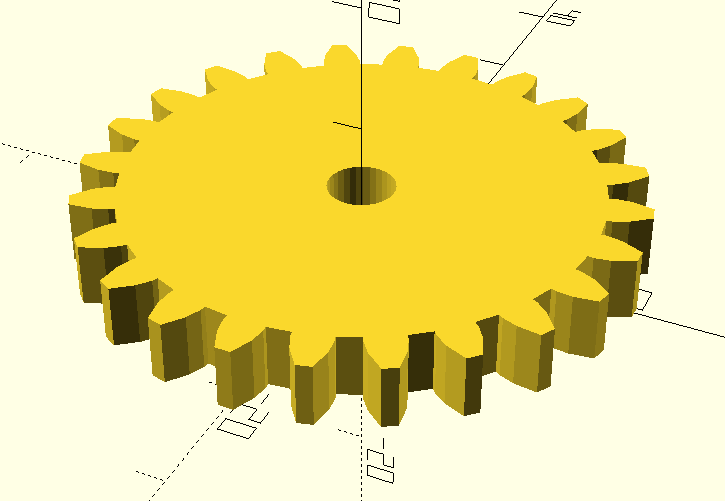
### View the .scad (OpenSCAD)

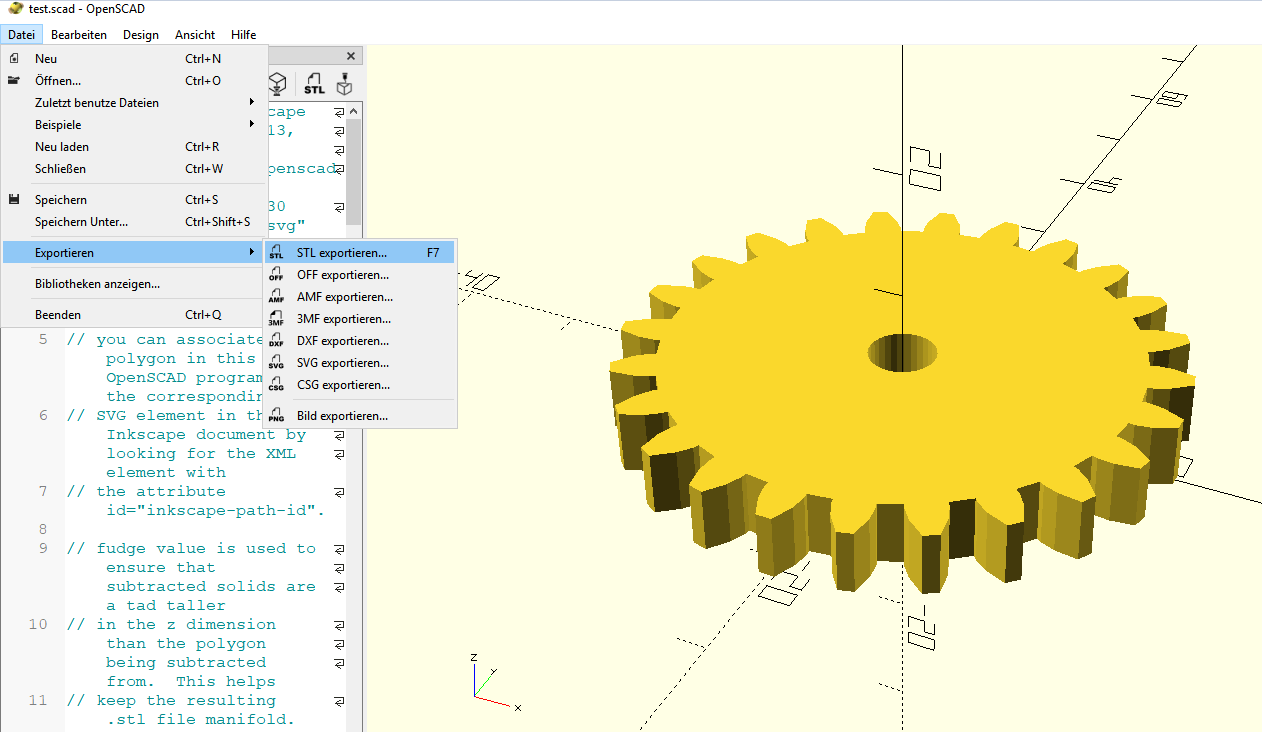
and maybe export to STL manually, or do it automatically by the Inkscape Plugin

1. Open  
    [![grafik.png](https://wiki.stadtfabrikanten.org/uploads/images/gallery/2025-05/scaled-1680-/4NwlVS3VP0uihjoe-grafik.png)](https://wiki.stadtfabrikanten.org/uploads/images/gallery/2025-05/4NwlVS3VP0uihjoe-grafik.png)
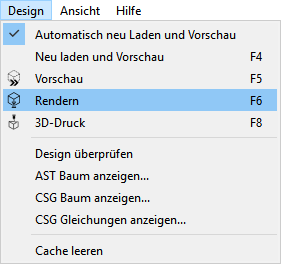
2. Rendering  
    [![grafik.png](https://wiki.stadtfabrikanten.org/uploads/images/gallery/2025-05/scaled-1680-/OflI6BnR139p4LOM-grafik.png)](https://wiki.stadtfabrikanten.org/uploads/images/gallery/2025-05/OflI6BnR139p4LOM-grafik.png)
3. Export  
    [![grafik.png](https://wiki.stadtfabrikanten.org/uploads/images/gallery/2025-05/scaled-1680-/twxBC3qg37hVtTYW-grafik.png)](https://wiki.stadtfabrikanten.org/uploads/images/gallery/2025-05/twxBC3qg37hVtTYW-grafik.png)
    
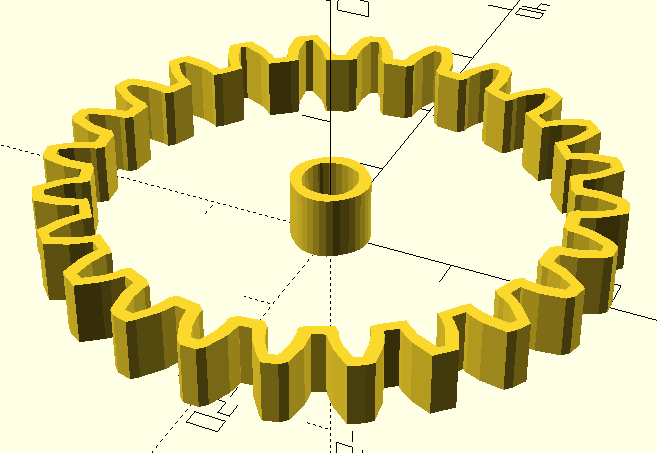
    If you forget to fill in the area in InkScape, you will see it as follows:  
    [![grafik.png](https://wiki.stadtfabrikanten.org/uploads/images/gallery/2025-05/scaled-1680-/5klhsqNnf4giypb6-grafik.png)](https://wiki.stadtfabrikanten.org/uploads/images/gallery/2025-05/5klhsqNnf4giypb6-grafik.png)
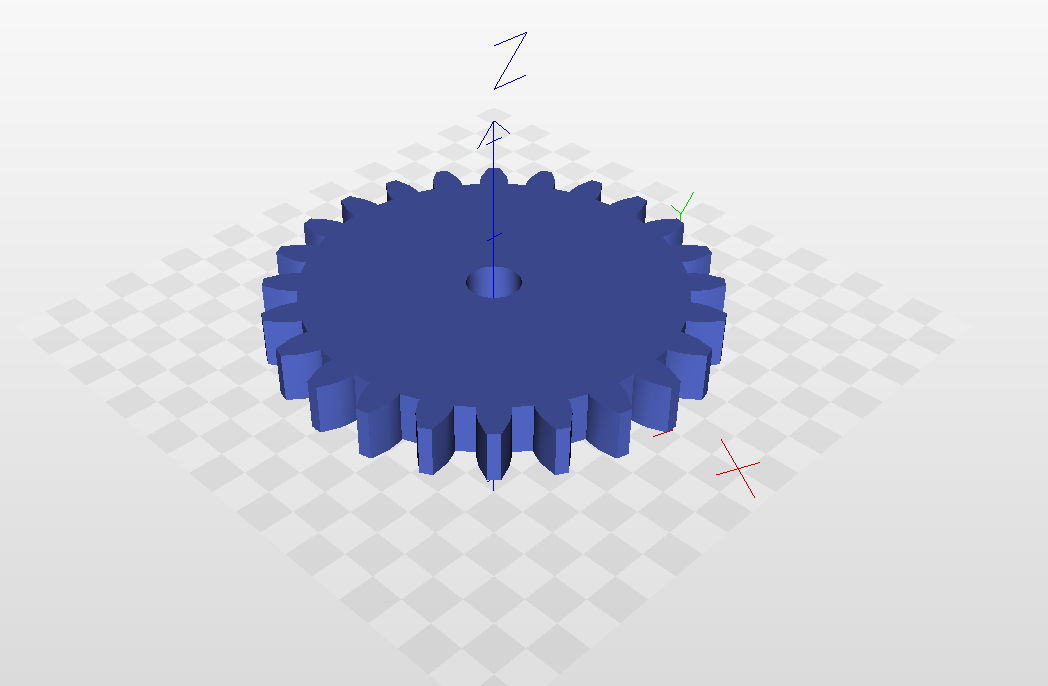
### View the STL STL Export / 3D Print

[http://www.freestlview.com](http://www.freestlview.com/)

[![grafik.png](https://wiki.stadtfabrikanten.org/uploads/images/gallery/2025-05/scaled-1680-/ZLXerfqrbopk1CBR-grafik.png)](https://wiki.stadtfabrikanten.org/uploads/images/gallery/2025-05/ZLXerfqrbopk1CBR-grafik.png)