# Occult Plugin (Hidden / Superimposed Line Removal)
This plugin command removes lines hidden by polygons. It acts like a trimmer to receive a clean set of visible paths only. **It does not remove common lines between opened paths, but for closed polygons.** You need to install occult plugin for vpype. See vpypetools documentation.
It's a great helper for optimizing cutting jobs. It is really powerful in conjunction with [Line Sorting](https://wiki.stadtfabrikanten.org/books/fablab-chemnitz/page/line-sorting). Also check out [vpype Free Mode](https://wiki.stadtfabrikanten.org/books/fablab-chemnitz/page/vpype-free-mode) which can do the same and more.
**Key phrases: remove overlapping lines, superimposed lines, remove duplicated lines, purge redundant lines, purge doubled lines, remove common edges, remove occulted lines, hidden line removal, retrace edges, chain paths, clean paths**
This extension is similar (**but superior**) to
- [Chain Paths](https://wiki.stadtfabrikanten.org/books/fablab-chemnitz/page/chain-paths)
- [Join Paths / Create Tabs And Dimples](https://wiki.stadtfabrikanten.org/books/fablab-chemnitz/page/join-paths-create-tabs-and-dimples)
- [Purge Duplicate Path Segments](https://wiki.stadtfabrikanten.org/books/fablab-chemnitz/page/purge-duplicate-path-segments)
Also have a look at [Purge Duplicate Path Nodes](https://wiki.stadtfabrikanten.org/books/fablab-chemnitz/page/purge-duplicate-path-nodes) if you only want to remove duplicate knot handles in a path.
[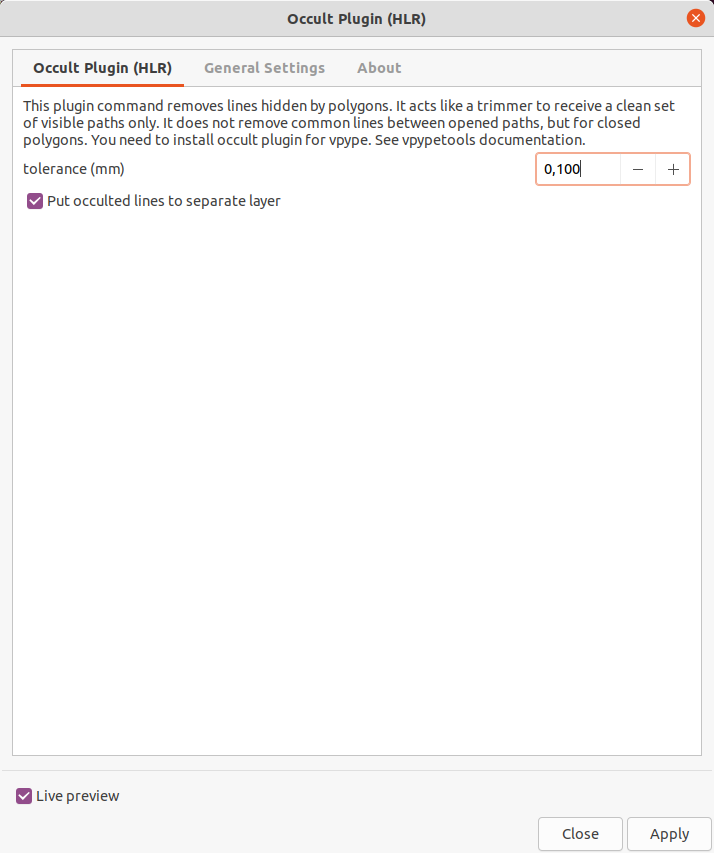](https://wiki.stadtfabrikanten.org/uploads/images/gallery/2025-05/FuWMMfuxLC9kY4Sd-grafik.png) [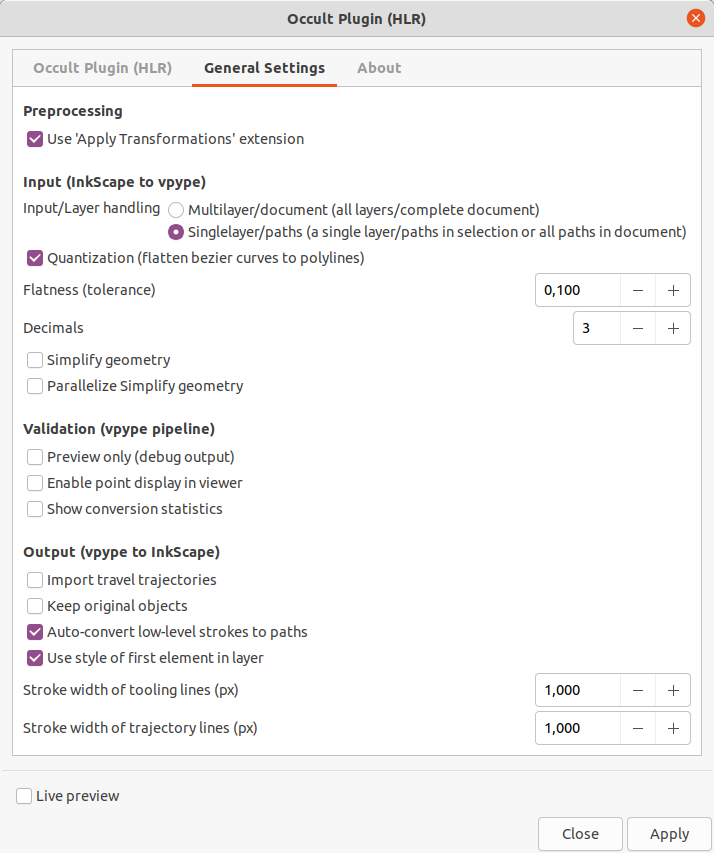](https://wiki.stadtfabrikanten.org/uploads/images/gallery/2025-05/M7jAMQ3tdWy1u68u-grafik.png)
## Troubleshooting / Upgrade extension
If the extension does not generate any output and you cannot explain why, please check if you have the latest version installed. Sometimes exceptions are hidden which show up when running from console instead.
Typical error like this:
```bash
Traceback (most recent call last):
File "c:\users\tomate\appdata\local\programs\python\python39\lib\site-packages\click_plugins\core.py", line 37, in decorator
group.add_command(entry_point.load())
File "c:\users\tomate\appdata\local\programs\python\python39\lib\site-packages\pkg_resources\__init__.py", line 2450, in load
return self.resolve()
File "c:\users\tomate\appdata\local\programs\python\python39\lib\site-packages\pkg_resources\__init__.py", line 2456, in resolve
module = __import__(self.module_name, fromlist=['__name__'], level=0)
File "c:\users\tomate\appdata\local\programs\python\python39\lib\site-packages\occult\occult.py", line 7, in
import pygeos
File "c:\users\tomate\appdata\local\programs\python\python39\lib\site-packages\pygeos\__init__.py", line 1, in
from .lib import GEOSException # NOQA
ImportError: DLL load failed while importing lib: Die angegebene Prozedur wurde nicht gefunden.
```
You can remove and reinstall the following way:
```bash
#failed
#pip3 install --upgrade git+https://github.com/LoicGoulefert/occult.git#egg=occult
#worked
pip3 uninstall git+https://github.com/LoicGoulefert/occult.git#egg=occult
pip3 install git+https://github.com/LoicGoulefert/occult.git#egg=occult
```
## Simple example
### Draw some rectangles
[](https://wiki.stadtfabrikanten.org/uploads/images/gallery/2025-05/edP4j6KF1ZVQ1ESD-grafik.png)
### Layout edges above each other (simulate having common edges)
[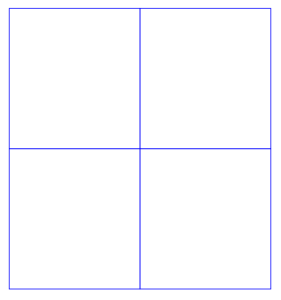](https://wiki.stadtfabrikanten.org/uploads/images/gallery/2025-05/GeOotGVwkpcuEudK-grafik.png)
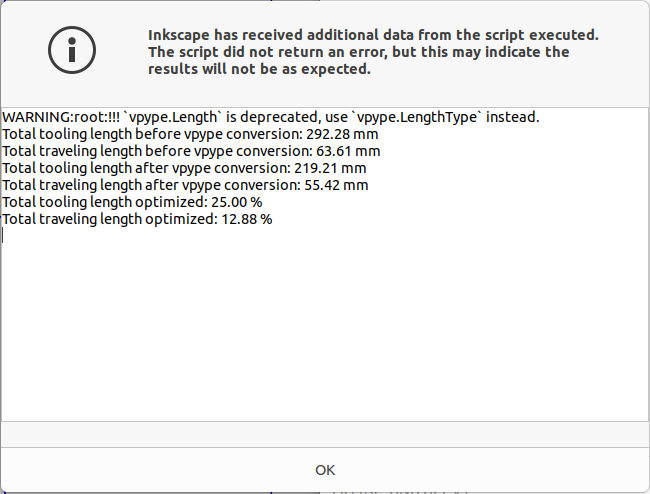
### Run extension to remove common edges
Move the paths to some other directions to see how the edge removal was worked out
[](https://wiki.stadtfabrikanten.org/uploads/images/gallery/2025-05/qfj7t0XSHGlvBtBW-grafik.png)
[](https://wiki.stadtfabrikanten.org/uploads/images/gallery/2025-05/esLX6HHlsNP78o8Q-grafik.png)