- link any image that you want to use as a placeholder (don't embed)
- put the replacement images into the same directory as the placeholder, so you only need to replace the name (didn't work for full file paths, for some reason sed complained, even with backslashes and quotes (also without))
- the CSV file must end with an empty line
- Source of old documentation: [https://www.rgb-labs.com/inkscape-161-generator-plugin-tip/](https://www.rgb-labs.com/inkscape-161-generator-plugin-tip/)
- Source of new documentaion (Moini's Fork): [https://gitlab.com/Moini/nextgenerator/-/tree/master/example](https://gitlab.com/Moini/nextgenerator/-/tree/master/example)
- If you like to use symbols like & < > in your text you need to **escape** them in your CSV like this: "1. Stellvertreter & Schriftführer" → this get's "1. Stellvertreter & Schriftführer"
## Enter your parameters
We use [https://gitlab.com/Moini/nextgenerator/-/blob/master/example](https://gitlab.com/Moini/nextgenerator/-/blob/master/example) data to test out the plugin
[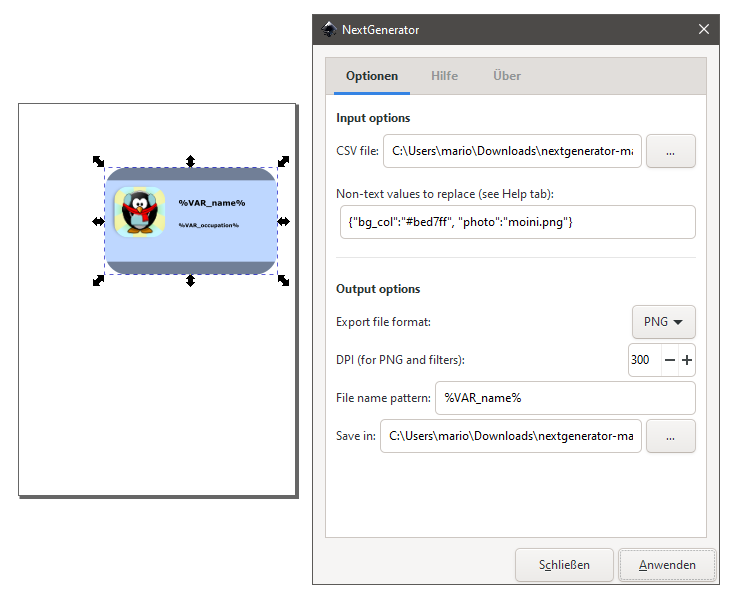](https://wiki.stadtfabrikanten.org/uploads/images/gallery/2025-05/qsqeU9RYNUyachcM-grafik.png)
## Create / adjust your input CSV file for replacements
example
```ini
name, occupation, bg_col, photo
"Ada Lovelace", Programmer, #3accd1, 1.png
"Alan Turing", Code Breaker, "#e78940", 2.png
"Linus Torvalds", "Kernel Developer, Linux Founder", #de88d9, 3.png
Tux, Mascot, #bed7ff, 4.png
```
## Example output
According to your selected output format you will receive PNG, PDF or other files
[](https://wiki.stadtfabrikanten.org/uploads/images/gallery/2025-05/t7qjEgwRo1wYSSmk-grafik.png) [](https://wiki.stadtfabrikanten.org/uploads/images/gallery/2025-05/wf1A6drH3tqyNDnG-grafik.png) [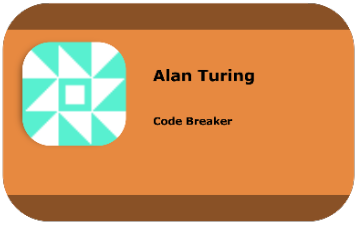](https://wiki.stadtfabrikanten.org/uploads/images/gallery/2025-05/xas436hywhhUEJSh-grafik.png) [](https://wiki.stadtfabrikanten.org/uploads/images/gallery/2025-05/VvUAjEFHd9H4Cx7j-grafik.png)