# Modify existing Path(s)
# Blueprint Maker
[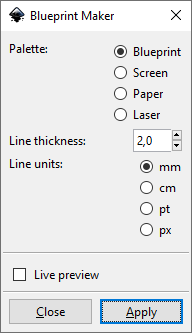](https://wiki.stadtfabrikanten.org/uploads/images/gallery/2025-05/oAxNaiDURYCTeXkt-grafik.png)
## Example Output
[](https://wiki.stadtfabrikanten.org/uploads/images/gallery/2025-05/y7XIEZBryu5EFYgw-grafik.png) [](https://wiki.stadtfabrikanten.org/uploads/images/gallery/2025-05/3XRGWwRO5Ah30oS7-grafik.png)
# Close Paths
This is similar to [Chain Paths](https://old.stadtfabrikanten.org/pages/createpage.action?spaceKey=IFM&title=Chain+Paths&linkCreation=true&fromPageId=55019335) extension but it has less features and only "one job". It helps to close open contours. This will connect the first point and the last point of a path which has no "Z" flag (which indicates for a closed path). If the first and the last point are already coincident it will just add the Z flag to the end of the path. If there's a distance left between the points a new line segment will be created to close the path. "Close Paths" extensions is also similar to [Join Paths / Create Tabs And Dimples](https://wiki.stadtfabrikanten.org/books/fablab-chemnitz/page/join-paths-create-tabs-and-dimples) and [Line Merging (Combine Paths)](https://wiki.stadtfabrikanten.org/books/fablab-chemnitz/page/line-merging-combine-paths "Line Merging (Combine Paths)").
**This plugin does not apply for paths in groups. Please ungroup before!**
## Draw some path
[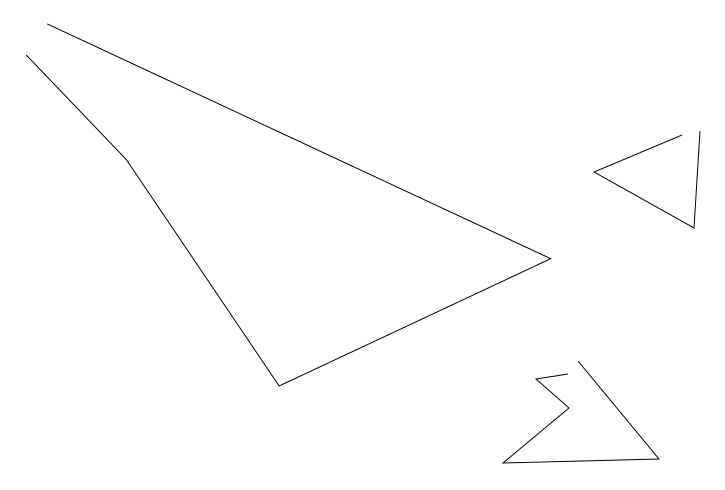](https://wiki.stadtfabrikanten.org/uploads/images/gallery/2025-05/jIBiKu3hjdsz177y-grafik.png)
## Make the path ends overlapping
This won't close these contours automatically. That's the reason to use this plugin
[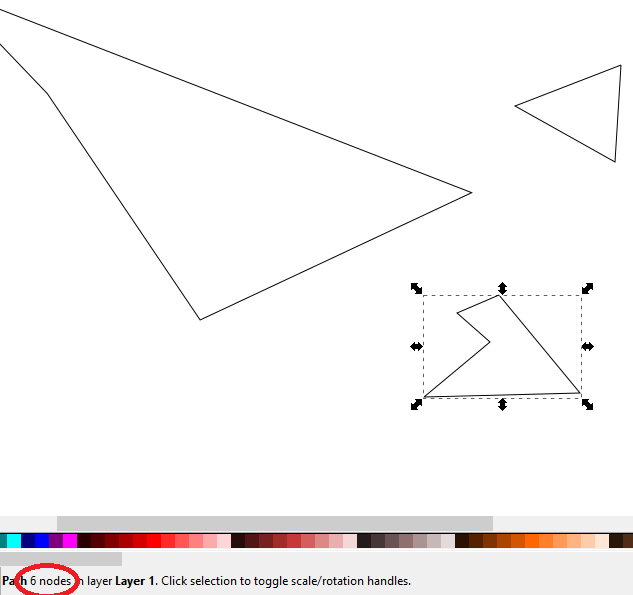](https://wiki.stadtfabrikanten.org/uploads/images/gallery/2025-05/Bs1RJzHMpDyEnQZ5-grafik.png)
## Select the paths you want to close and run extension
[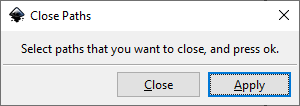](https://wiki.stadtfabrikanten.org/uploads/images/gallery/2025-05/HLFCPb9bfQlRKN1x-grafik.png)
[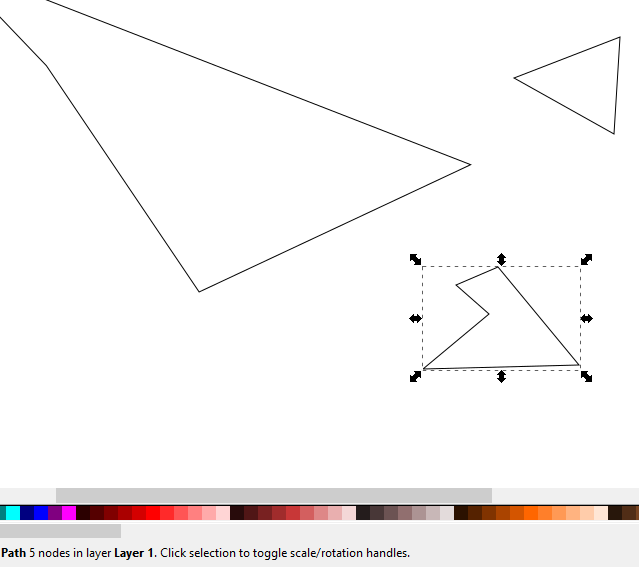](https://wiki.stadtfabrikanten.org/uploads/images/gallery/2025-05/wsPUej6mQ2JlwjHn-grafik.png)
Notice that the path was reduced from 6 to 5 nodes. This happened to the other selected paths too.
# Convert To Polylines
This extension takes the points of a path and make a straight polyline out of it. Nothing less, nothing more. ou can do the same with default Inkscape UI (select the path → Node Tool → Straighten lines) but it might be quicker to use in some use cases. This extension handles duplicate points on a path by removing them. This extension is similar to [Approximate Curves by Straight Lines (Flatten Beziers)](https://wiki.stadtfabrikanten.org/books/in-house-extensions/page/approximate-curves-by-straight-lines-flatten-beziers) but works much easier (but has less control over elements).
##
## Example 1
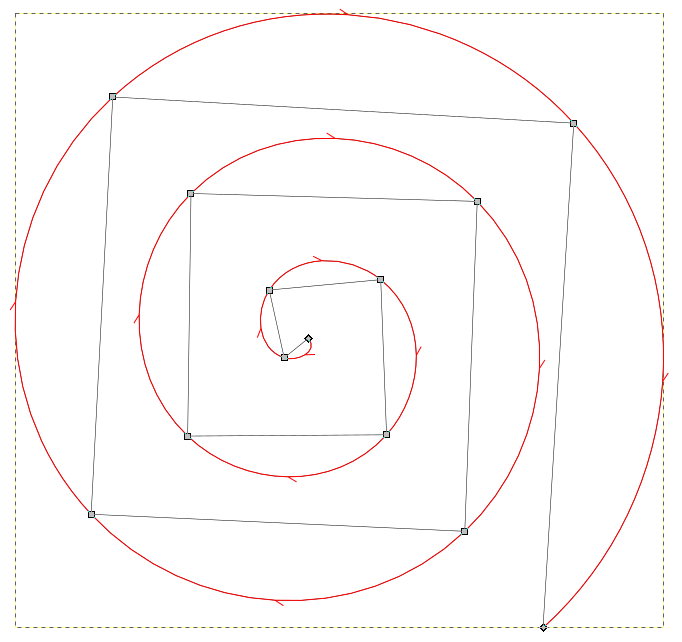
Red outline is original curve, black one is the converted one
[](https://wiki.stadtfabrikanten.org/uploads/images/gallery/2025-05/sd5LMDOIdDTbxoDq-grafik.png)
## Example 2
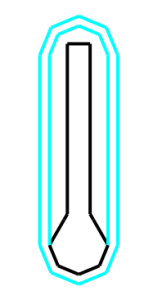
Left is before, right is after conversion
[](https://wiki.stadtfabrikanten.org/uploads/images/gallery/2025-05/nLBSsXQv6FIefTV0-grafik.png)
# Convert Vertical/Horizontal To Line
This extension converts an SVG path's d attribute the following way: find each V (vertical line) and each H (horizontal line) and replace it by a generic line (L type). A lot of extensions do not work with V and H, but with L commands. So this is just a helper extension for other extensions. It behaves similar to [To Absolute](https://wiki.stadtfabrikanten.org/books/in-house-extensions/page/to-absolute "To Absolute")
## Example conversion
from:
```
M 60.403,71.0937 V 89.268022 135.773
```
to:
```
M 60.403 71.0937 L 60.403 89.268 L 60.403 135.773
```
# Ellipse by Five Points (Replaced by LPE)
Note that this feature is obsolete / legacy in InkScape 0.92 and higher because of [https://wiki.inkscape.org/wiki/index.php/LPE:\_Ellipse\_from\_Points](https://wiki.inkscape.org/wiki/index.php/LPE:_Ellipse_from_Points)
## Usage (with a workaround)
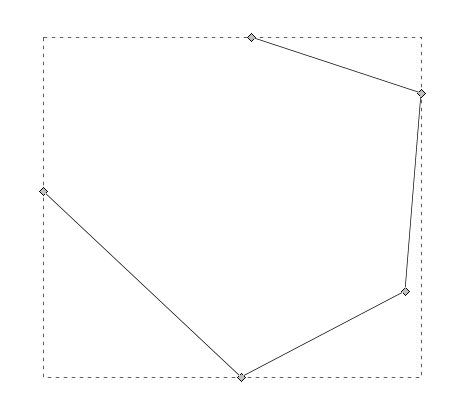
### Draw some path with 5 control points
[](https://wiki.stadtfabrikanten.org/uploads/images/gallery/2025-05/eZiMXnXL5UvJKQf8-grafik.png)
### Select the object and run extension → the plugin will rotate the object
[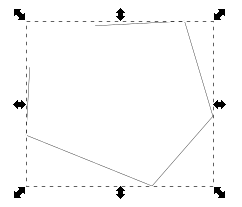](https://wiki.stadtfabrikanten.org/uploads/images/gallery/2025-05/PjZLuC5v2mNe8zso-grafik.png)
### Input vs Output
[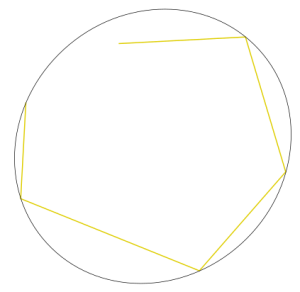](https://wiki.stadtfabrikanten.org/uploads/images/gallery/2025-05/rP1un7m0JOpBClLf-grafik.png)
# Fillet And Chamfer (Replaced by LPE)
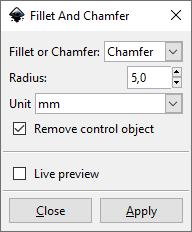
This extension is similar to the built-in Live Path Effect "**Corners (Fillet/Chamfer)**" of Inkccape and similar to [Round Corners (Replaced by LPE)](https://wiki.stadtfabrikanten.org/books/fablab-chemnitz/page/round-corners-replaced-by-lpe) but it's great advantage is the possibility to quickly chamfer complete paths. This extension requires python library *svgpathtools*.
## Method description
[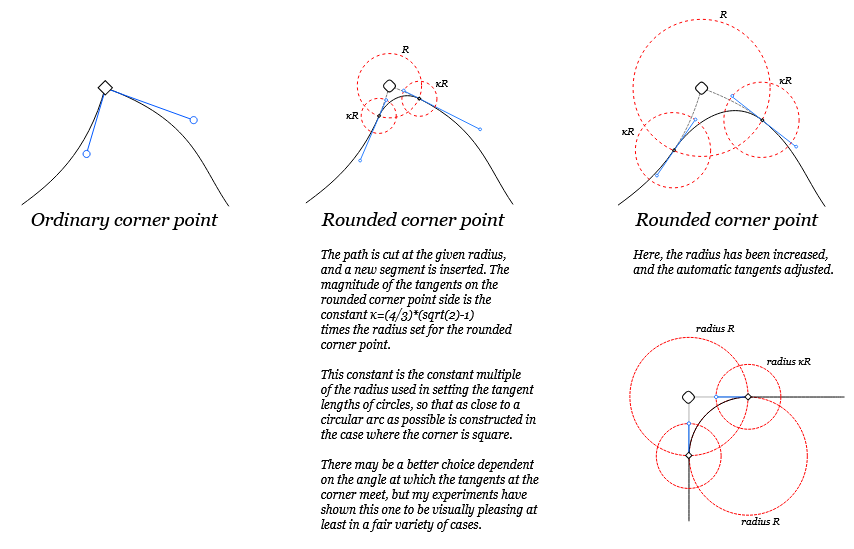](https://wiki.stadtfabrikanten.org/uploads/images/gallery/2025-05/6CZAapH7rjUAfsPt-grafik.png)
Source of image: [http://launchpadlibrarian.net/12692602/rcp.svg](http://launchpadlibrarian.net/12692602/rcp.svg)
## Draw some path
[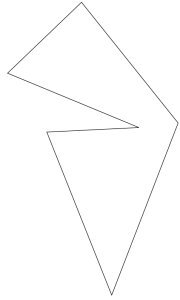](https://wiki.stadtfabrikanten.org/uploads/images/gallery/2025-05/aw2UETy1fxe35oS6-grafik.png)
## Run the exension and get the result
[](https://wiki.stadtfabrikanten.org/uploads/images/gallery/2025-05/4s1RdG2fDmZ8O7xS-grafik.png)
[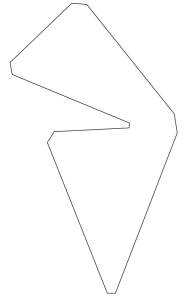](https://wiki.stadtfabrikanten.org/uploads/images/gallery/2025-05/HUsnUNLefN9G25YQ-grafik.png)
# Flevobezier
Documentation for approximation algorithm can be found at [https://gitlab.com/parclytaxel/Kinross/-/blob/master/programs/arp.pdf](https://gitlab.com/parclytaxel/Kinross/-/blob/master/programs/arp.pdf)
## Draw some paths
[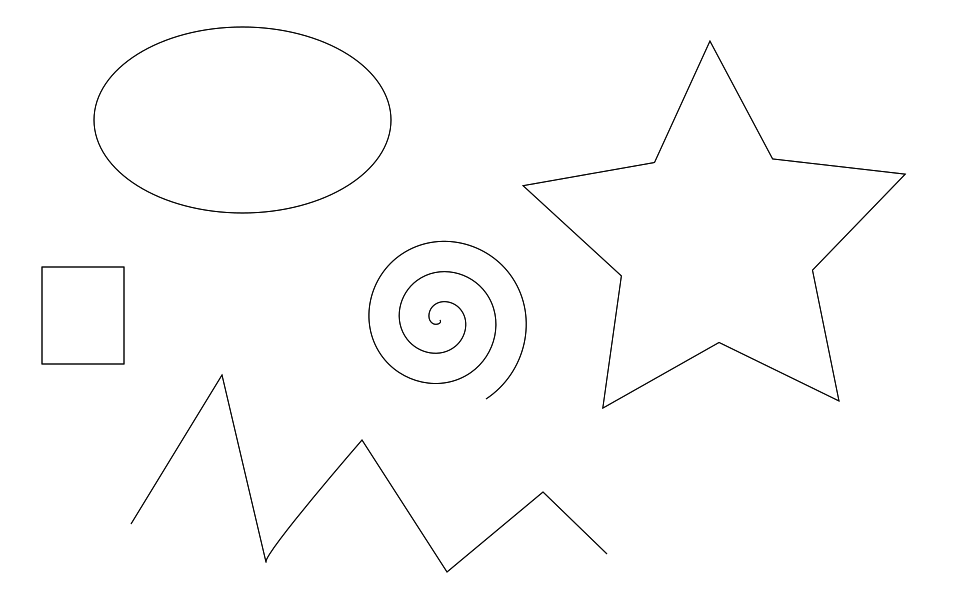](https://wiki.stadtfabrikanten.org/uploads/images/gallery/2025-05/5io26wLpnn28KdXz-grafik.png)
## Apply the extension and get result
[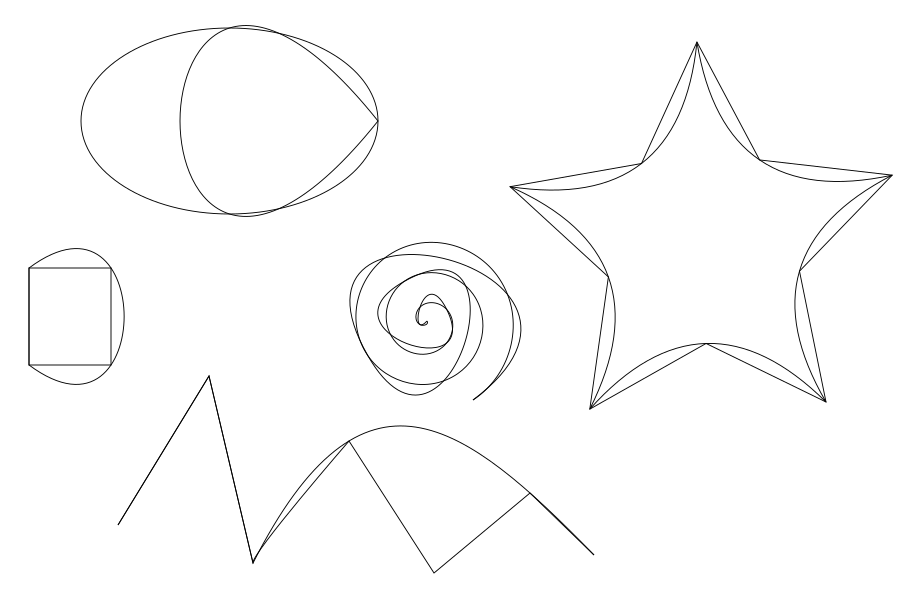](https://wiki.stadtfabrikanten.org/uploads/images/gallery/2025-05/hxC1zcPghgHoHDM6-grafik.png)
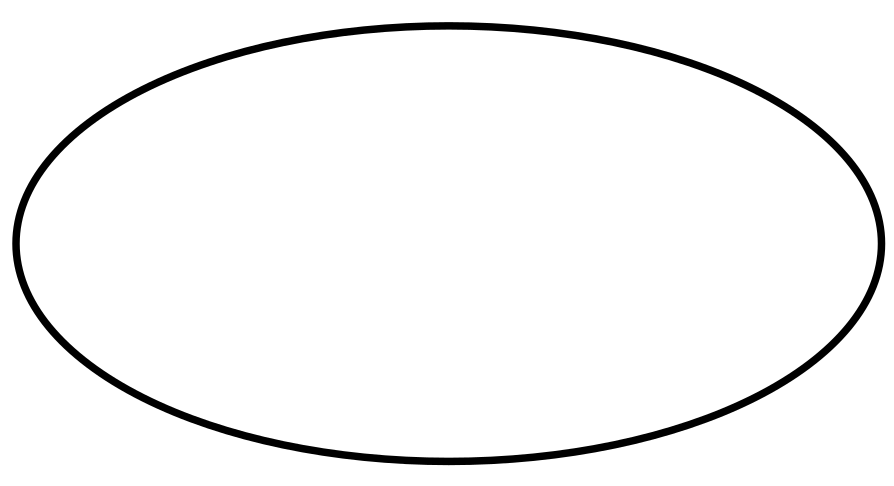
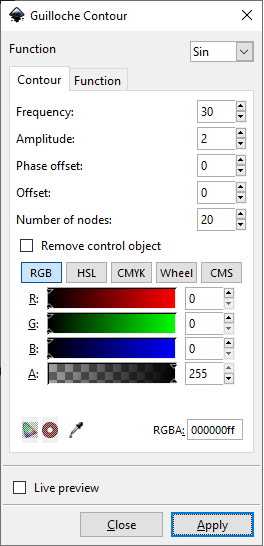
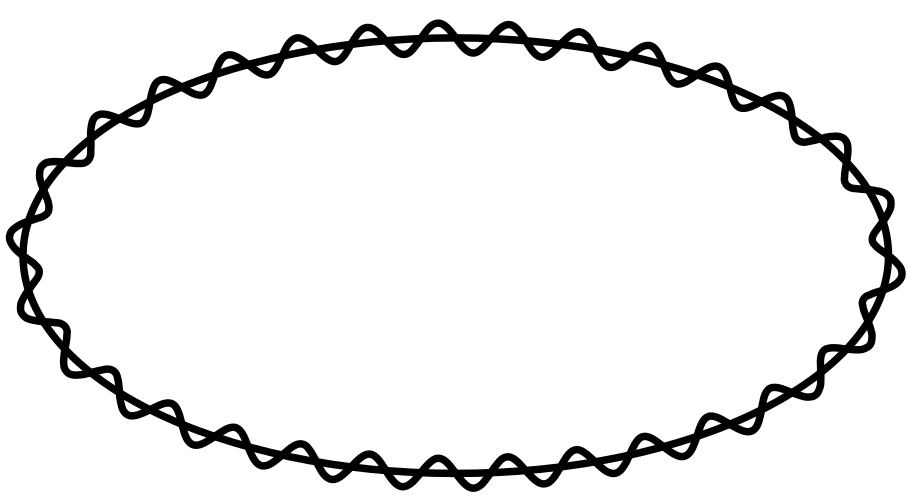
# Guilloche Contour
This extension creates a Guilloche Contour from a regular path. It is needed for [Guilloche Pattern](https://wiki.stadtfabrikanten.org/books/fablab-chemnitz/page/guilloche-pattern "Guilloche Pattern") extension.
[](https://wiki.stadtfabrikanten.org/uploads/images/gallery/2025-05/4wUhvCWkxzW662VG-grafik.png)
[](https://wiki.stadtfabrikanten.org/uploads/images/gallery/2025-05/0aUtZhQ3WtbEXw2l-grafik.png)
[](https://wiki.stadtfabrikanten.org/uploads/images/gallery/2025-05/XqHOenenBTsxysS3-grafik.png)
# Guilloche Pattern
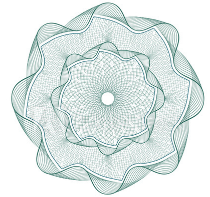
This extension allows to create patterns like this:
[](https://wiki.stadtfabrikanten.org/uploads/images/gallery/2025-05/M2w3ztm6WpEGjnFw-grafik.png)
## Example
Draw a rectangle and some [Guilloche Contour](https://wiki.stadtfabrikanten.org/books/fablab-chemnitz/page/guilloche-contour "Guilloche Contour"):
[](https://wiki.stadtfabrikanten.org/uploads/images/gallery/2025-05/sTXuevFBlRYhjarf-grafik.png)
## Run the extension and get the result
[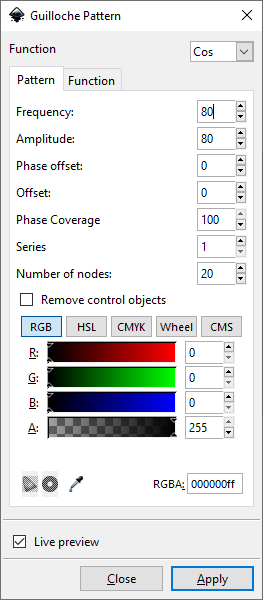](https://wiki.stadtfabrikanten.org/uploads/images/gallery/2025-05/NSIoDmogEJwOTHqh-grafik.png)
[](https://wiki.stadtfabrikanten.org/uploads/images/gallery/2025-05/D5TABxnD0L0x1Aj8-grafik.png)
# Open Closed Path
Source: [https://gitlab.com/EllenWasbo/inkscape-extension-openpaths](https://gitlab.com/EllenWasbo/inkscape-extension-openpaths)
This extension will open up closed paths by removing all z-commands from the selected paths. Possible purposes: to save single line svg-fonts as otf or ttf fonts. These font formats require closed paths and will add a closing command to the glyphs. This closing can be removed by converting the text to paths, ungroup and then using this extension.
[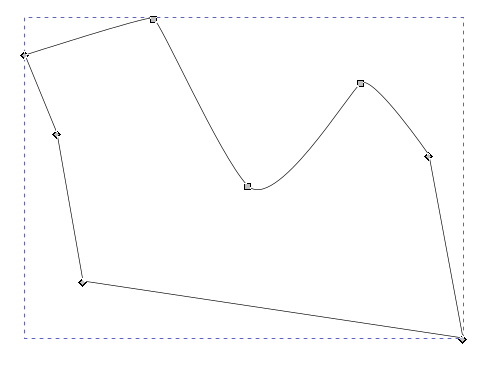](https://wiki.stadtfabrikanten.org/uploads/images/gallery/2025-05/OYS9mtq8Zw9sGcN9-grafik.png) [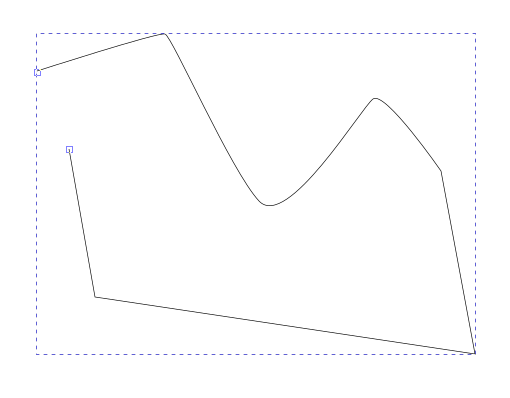](https://wiki.stadtfabrikanten.org/uploads/images/gallery/2025-05/GL9T8v7JjcLwvr1V-grafik.png)
# Paths To Lowlevel Strokes
This extensions does the opposite of "Strokes To Paths"
# Round Corners (Replaced by LPE)
Source: [https://github.com/jnweiger/inkscape-round-corners](https://github.com/jnweiger/inkscape-round-corners)
This extension is similar to the built-in Live Path Effect of InkScape and similar to [Fillet And Chamfer (Replaced by LPE)](https://wiki.stadtfabrikanten.org/books/fablab-chemnitz/page/fillet-and-chamfer-replaced-by-lpe) but it's great advantage is the easy selection of individual path nodes (points) instead the whole path element. More details about this extension can be found in the source repository.
**Warning: the results may be error prone. See [https://github.com/jnweiger/inkscape-round-corners/issues/9](https://github.com/jnweiger/inkscape-round-corners/issues/9)**
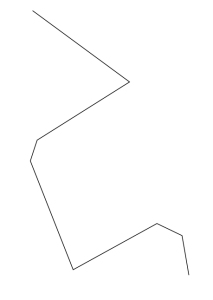
## Example
### Draw some path
**[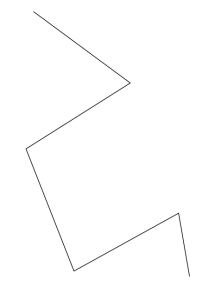](https://wiki.stadtfabrikanten.org/uploads/images/gallery/2025-05/EltkfMDYTKRBgeaP-grafik.png)**
### Run the extension and get the result
[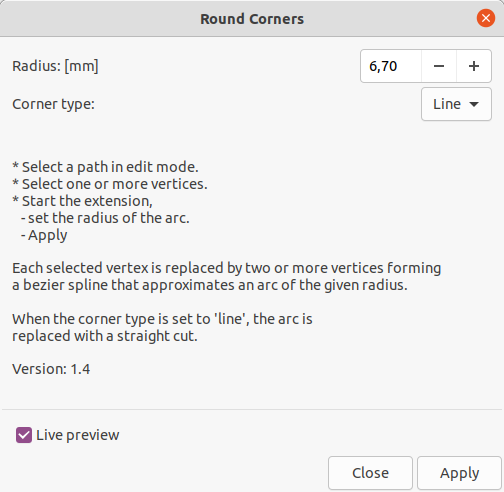](https://wiki.stadtfabrikanten.org/uploads/images/gallery/2025-05/cLgXkbCGFlYq8y03-grafik.png)
[](https://wiki.stadtfabrikanten.org/uploads/images/gallery/2025-05/rMpbAN3ZvAcmiH53-grafik.png)
# Rounder
Round internal SVG data to a fixed decimal positions. Added options to also round stroke width X ,Y, Width and Height, opacity and more. Does only apply to **svg:path** elements.
Source: [https://inkscape.org/~jabiertxof/%E2%98%85rounder-04](https://inkscape.org/~jabiertxof/%E2%98%85rounder-04)
## Draw some example
[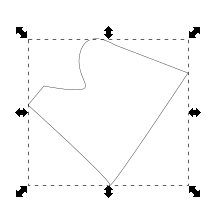](https://wiki.stadtfabrikanten.org/uploads/images/gallery/2025-05/42hyfyAbYLrrdBtO-grafik.png)
Have a view on the 'd' attribute of the path:
[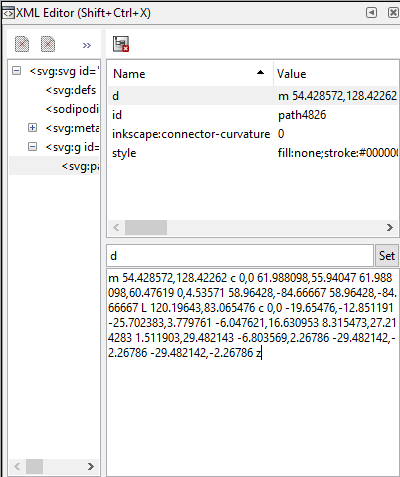](https://wiki.stadtfabrikanten.org/uploads/images/gallery/2025-05/4TpYNhifIdBd7n9Q-grafik.png)
## Run the extension and get the result
[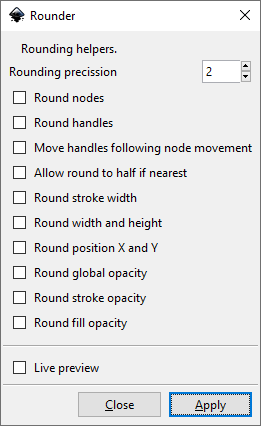](https://wiki.stadtfabrikanten.org/uploads/images/gallery/2025-05/T7qriWDj7mRTdq5T-grafik.png)
Have a view on the 'd' attribute of the path again:
[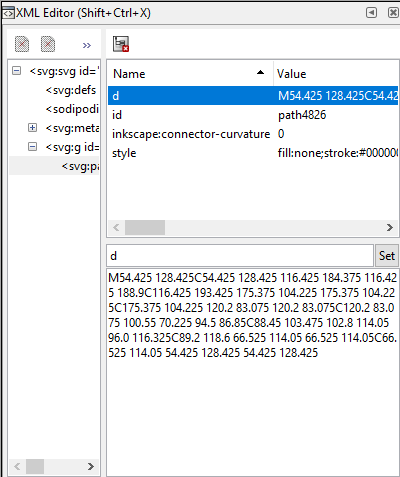](https://wiki.stadtfabrikanten.org/uploads/images/gallery/2025-05/J0q0Oo0OtngDLTlv-grafik.png)
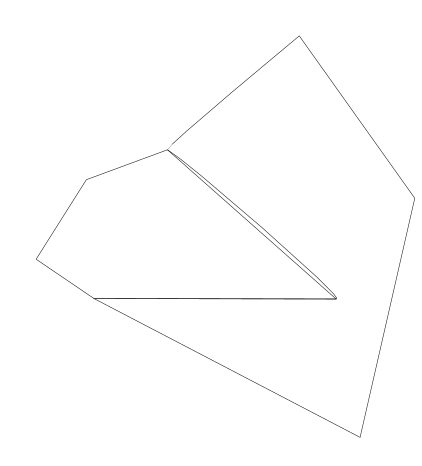
# Snap Object Points
This effect snaps points in each selected object to nearby points in other selected objects.
Source: [https://inkscape.org/de/~pakin/%E2%98%85snap-object-points](https://inkscape.org/de/~pakin/%E2%98%85snap-object-points)
## Draw some objects
[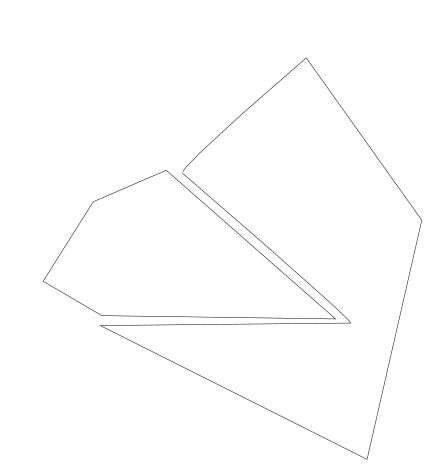](https://wiki.stadtfabrikanten.org/uploads/images/gallery/2025-05/WCyN7JXKEUbmQmPC-grafik.png)
## Run the extension and get the result
[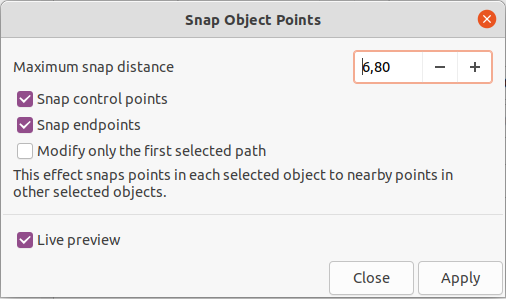](https://wiki.stadtfabrikanten.org/uploads/images/gallery/2025-05/fjeN4WiMo39zDcf3-grafik.png)
[](https://wiki.stadtfabrikanten.org/uploads/images/gallery/2025-05/YZUzV6q3BXc0m5wc-grafik.png)