# Papercraft Unfold

<div class="page-metadata-wrapper" id="bkmrk-"></div><div class="page view" id="bkmrk-this-tool-converts-a"><article>This tool converts a STL/OFF/PLY/OBJ into binary STL Format. The STL then gets unfolded (flattened) to make a papercraft model.

It utilizes [https://github.com/osresearch/papercraft](https://github.com/osresearch/papercraft) and [<span>https://github.com/admesh/admesh</span>](https://github.com/admesh/admesh)

<p class="callout warning">Avoid importing STL files with a lot of surfaces. Larger files require intense computing power. It's better to use simplified low-poly models (with a decent amount of triangles). See [Simplification and remeshing of STL parts](https://old.stadtfabrikanten.org/display/AFUS/Simplification+and+remeshing+of+STL+parts)</p>

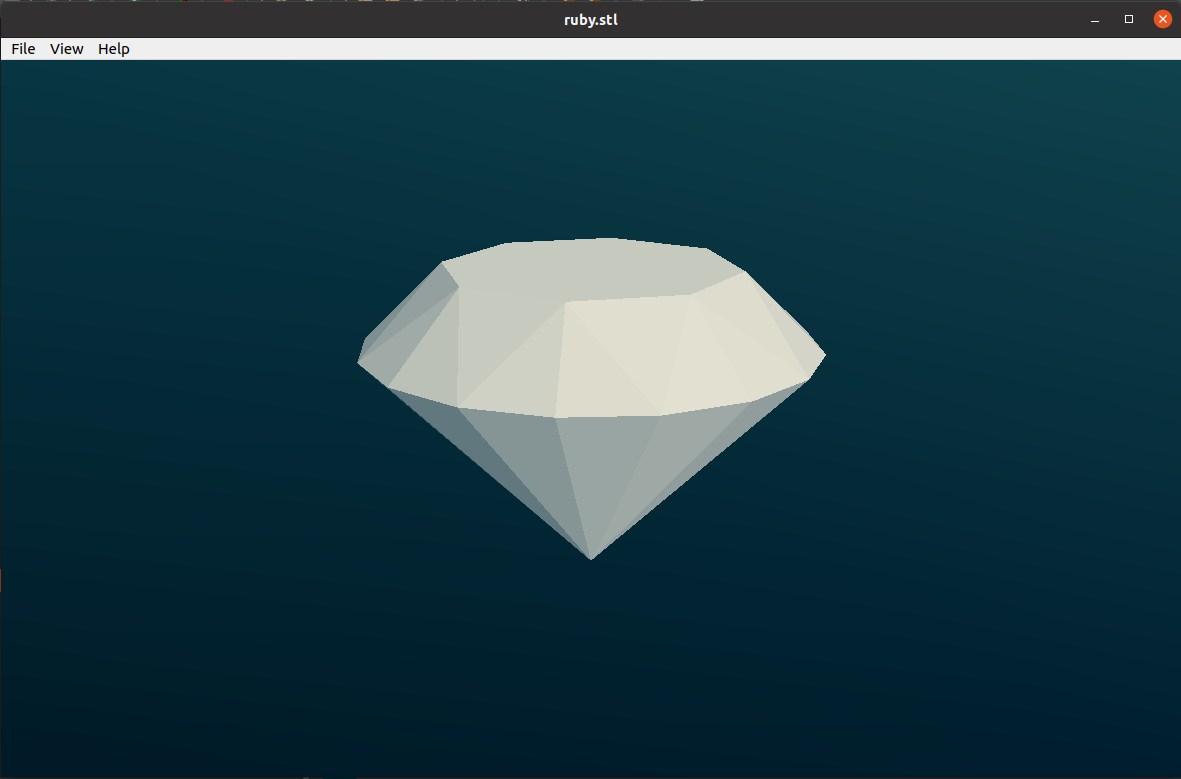
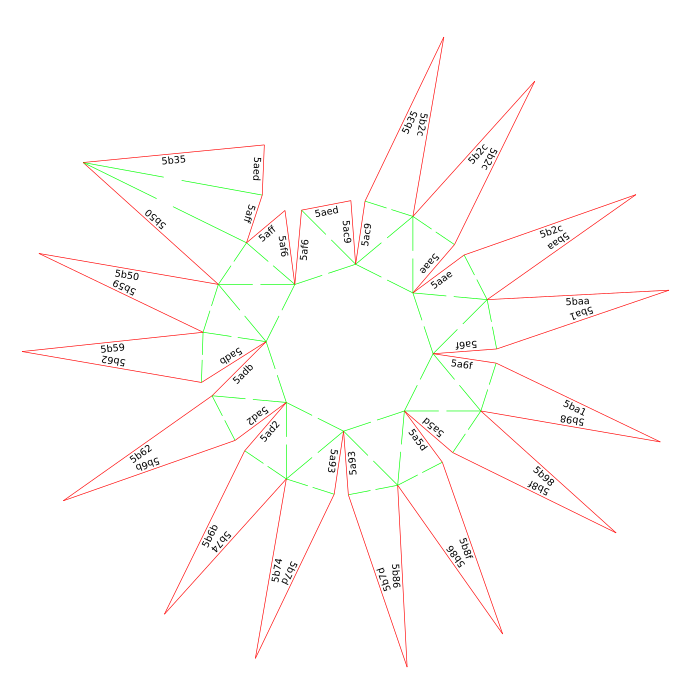
<table border="1" style="border-collapse: collapse; width: 99.9734%; height: 76.2334px;"><colgroup><col style="width: 49.9668%;"></col><col style="width: 49.9668%;"></col></colgroup><thead><tr style="height: 38.1167px;"><td style="height: 38.1167px;">**3D STL preview**</td><td style="height: 38.1167px;">**Papercraft Unfold output**</td></tr></thead><tbody><tr style="height: 38.1167px;"><td style="height: 38.1167px;">[![grafik.png](https://wiki.stadtfabrikanten.org/uploads/images/gallery/2025-05/scaled-1680-/Y2PSRgDKSIawk3x7-grafik.png)](https://wiki.stadtfabrikanten.org/uploads/images/gallery/2025-05/Y2PSRgDKSIawk3x7-grafik.png)</td><td style="height: 38.1167px;">[![grafik.png](https://wiki.stadtfabrikanten.org/uploads/images/gallery/2025-05/scaled-1680-/sdYFyHndO22UcKA5-grafik.png)](https://wiki.stadtfabrikanten.org/uploads/images/gallery/2025-05/sdYFyHndO22UcKA5-grafik.png)</td></tr></tbody></table>

## Usage

[![grafik.png](https://wiki.stadtfabrikanten.org/uploads/images/gallery/2025-05/scaled-1680-/WqHOLILD6yVfrhqe-grafik.png)](https://wiki.stadtfabrikanten.org/uploads/images/gallery/2025-05/WqHOLILD6yVfrhqe-grafik.png) [![grafik.png](https://wiki.stadtfabrikanten.org/uploads/images/gallery/2025-05/scaled-1680-/SzmkiZNQtC6oJcMK-grafik.png)](https://wiki.stadtfabrikanten.org/uploads/images/gallery/2025-05/SzmkiZNQtC6oJcMK-grafik.png)

## Manual steps

### PaperCraft Unfold tool compilation on Windows (and Linux)

The folowing steps how to compile `unfold` binary which is used for the upper mentioned Inkscape plugin.

### Start Cygwin (Windows) or use your regular bash shell (Linux)

On Linux we can easily compile using `gcc` and `make`. For Windows executable we can use cygwin with installed `gcc` and `make` libraries.

### Compile

```bash
cd /c/
git clone https://github.com/osresearch/papercraft
cd papercraft
make
cp C:\Babun\.babun\cygwin\bin /c/papercraft/
explorer .
```

<p class="callout info">Papercraft Unfold supports option to generate labels for edges. We can make separate compilations to have both variants. (variable: `static int draw_labels = 0;`)</p>

### Start cmd shell

```bash
cd C:\papercraft
unfold < Bunny-LowPoly.stl > bunny.svg
#or explicitely with extension .exe
unfold.exe < Bunny-LowPoly.stl > bunny.svg
```

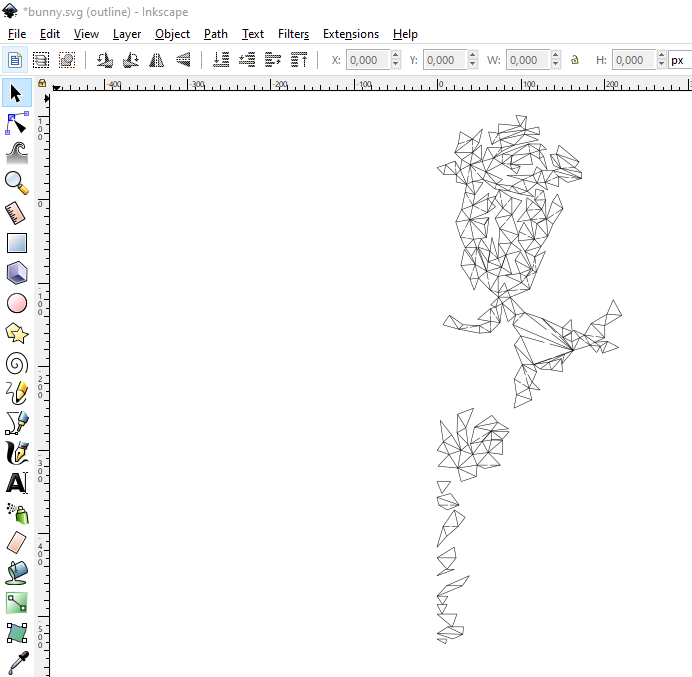
### Check output and compare with input

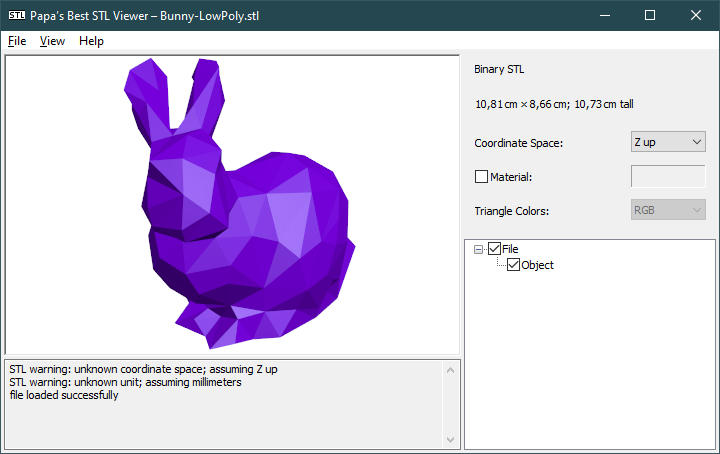
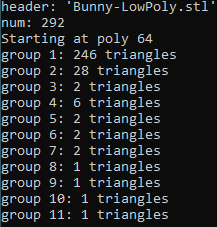
<table border="1" style="border-collapse: collapse; width: 99.9734%;"><colgroup><col style="width: 33.289%;"></col><col style="width: 33.289%;"></col><col style="width: 33.289%;"></col></colgroup><thead><tr><td>**Bunny-LowPoly.stl**</td><td>**unfold &lt; Bunny-LowPoly.stl &gt; bunny.svg**</td><td>**bunny.svg**</td></tr></thead><tbody><tr><td>[![grafik.png](https://wiki.stadtfabrikanten.org/uploads/images/gallery/2025-05/scaled-1680-/PbAYTCLPz8YtuQ70-grafik.png)](https://wiki.stadtfabrikanten.org/uploads/images/gallery/2025-05/PbAYTCLPz8YtuQ70-grafik.png)</td><td>[![grafik.png](https://wiki.stadtfabrikanten.org/uploads/images/gallery/2025-05/scaled-1680-/hTx6DPXNCJiFPoFf-grafik.png)](https://wiki.stadtfabrikanten.org/uploads/images/gallery/2025-05/hTx6DPXNCJiFPoFf-grafik.png)</td><td>[![grafik.png](https://wiki.stadtfabrikanten.org/uploads/images/gallery/2025-05/scaled-1680-/2ucgXa03AA5QZccb-grafik.png)](https://wiki.stadtfabrikanten.org/uploads/images/gallery/2025-05/2ucgXa03AA5QZccb-grafik.png)</td></tr></tbody></table>

<div class="code panel pdl conf-macro output-block" data-hasbody="true" data-macro-name="code" style="border-width: 1px;"><div class="codeContent panelContent pdl"><div><div class="syntaxhighlighter sh-django  bash" id="bkmrk--1"></div></div></div></div><div class="wiki-content" id="bkmrk--2"></div></article></div>