**Deshalb bitte unter keinen Umständen ein Firmwareupdate durchführen! [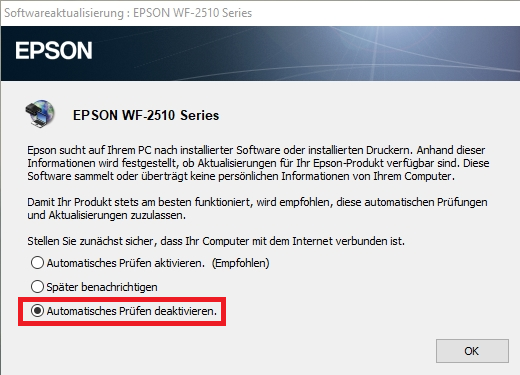](https://wiki.stadtfabrikanten.org/uploads/images/gallery/2025-08/Njg17ryMNyvlO3oH-grafik.png)**
Für Linux gibt es [Treiber zum Download](https://support.epson.net/linux/Printer/LSB_distribution_pages/en/escpr.php) (rpm/deb Pakete). [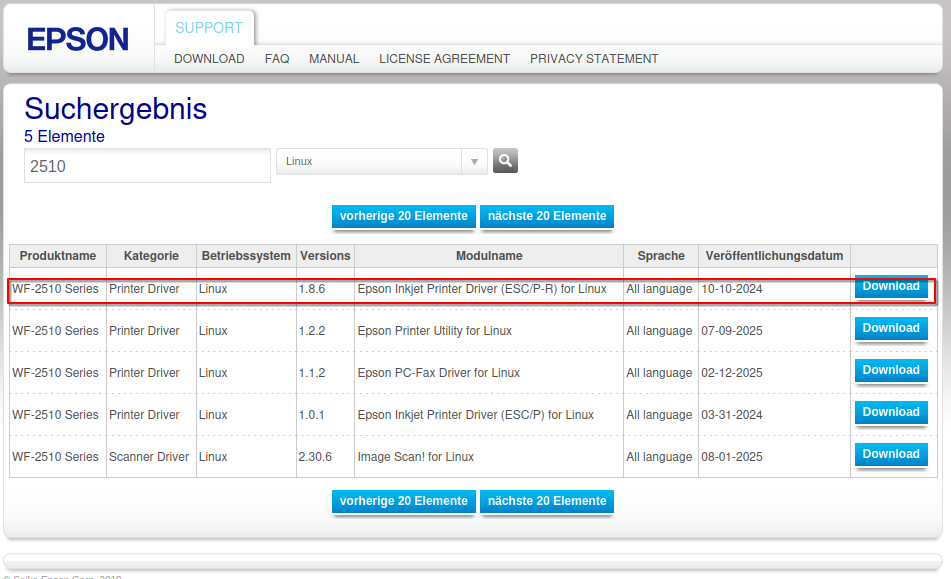](https://wiki.stadtfabrikanten.org/uploads/images/gallery/2025-09/koY3VJAROi8yk5JO-grafik.png) ## Web Interface Unser Drucker ist erreichbar unter [http://10.63.2.181](http://10.63.2.181/PRESENTATION/HTML/TOP/INDEX.HTML) ## Sublimationsfarben Wir nutzen die folgenden Sublimationstinten [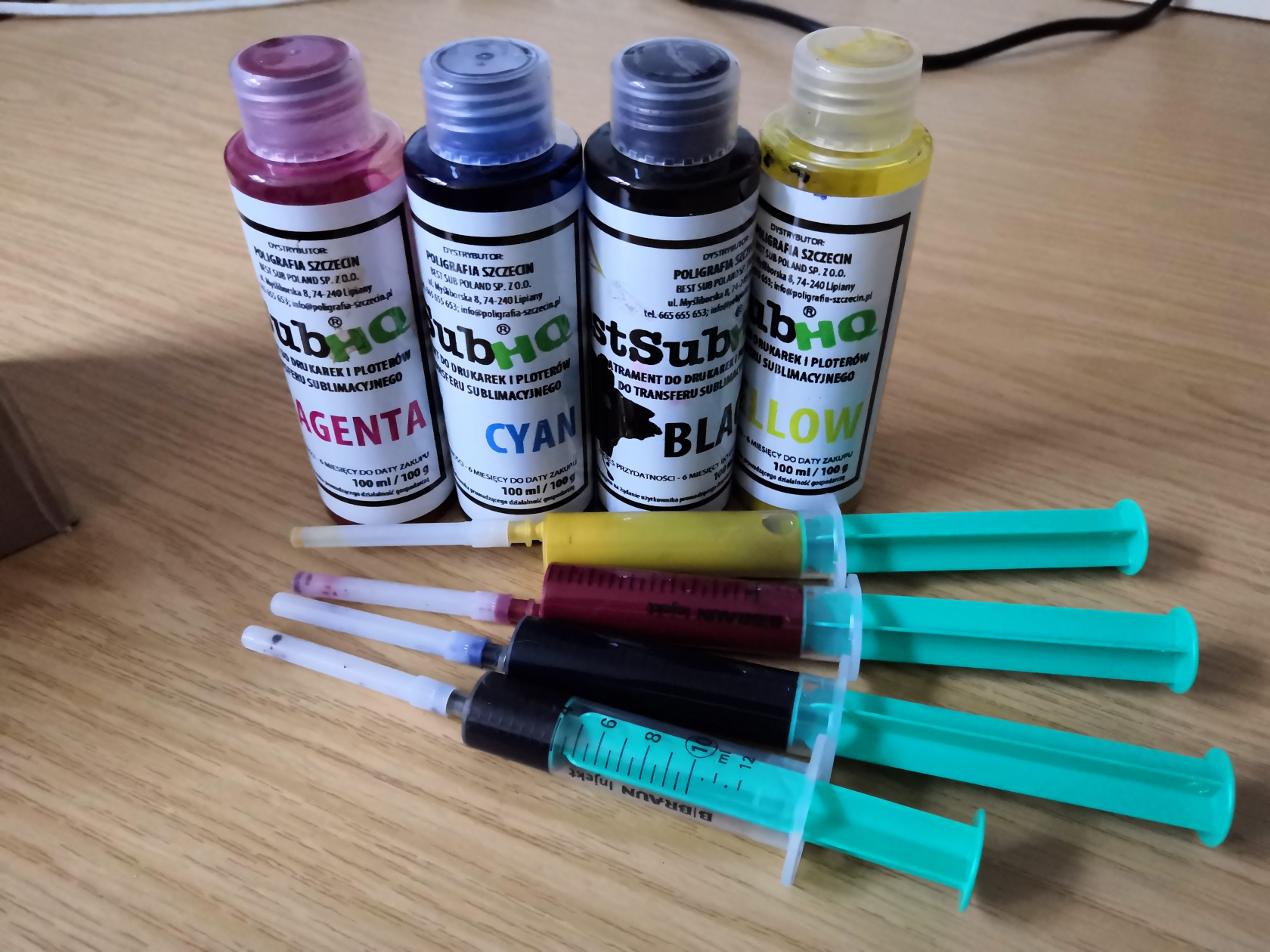](https://wiki.stadtfabrikanten.org/uploads/images/gallery/2025-08/9pm2v3BfUnOcE7fX-grafik.png) - [https://shop.bestsublimation.de/product-ger-2122-Sublimationstinte-YELLOW-100-ml-Best-Sub-HQ.html](https://shop.bestsublimation.de/product-ger-2122-Sublimationstinte-YELLOW-100-ml-Best-Sub-HQ.html) - [https://shop.bestsublimation.de/product-ger-2121-Sublimationstinte-MAGENTA-100-ml-Best-Sub-HQ.html](https://shop.bestsublimation.de/product-ger-2121-Sublimationstinte-MAGENTA-100-ml-Best-Sub-HQ.html) - [https://shop.bestsublimation.de/product-ger-2118-Sublimationstinte-CYAN-100-ml-Best-Sub-HQ.html](https://shop.bestsublimation.de/product-ger-2118-Sublimationstinte-CYAN-100-ml-Best-Sub-HQ.html) - [https://shop.bestsublimation.de/product-ger-2117-Sublimationstinte-BLACK-100-ml-Best-Sub-HQ.html](https://shop.bestsublimation.de/product-ger-2117-Sublimationstinte-BLACK-100-ml-Best-Sub-HQ.html) ## Sublimationspapier (Transferpapier) [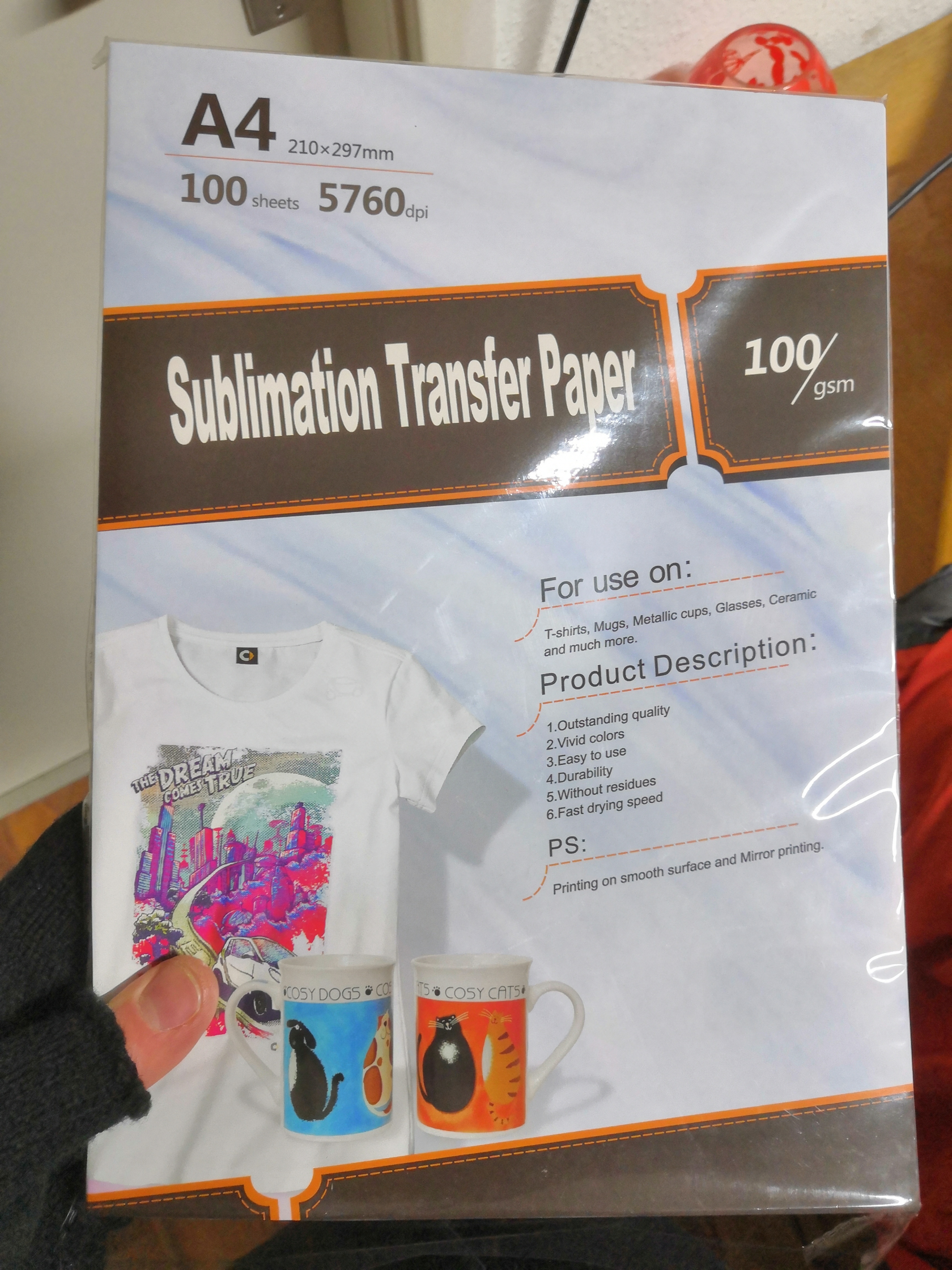](https://wiki.stadtfabrikanten.org/uploads/images/gallery/2025-08/MECKrmp799nTfETn-grafik.png) Gängige Papiersorten sind z.B: - [Subliking® HiQ Spitzen Sublimationspapier - 120g](https://printbox-online.de/products/subliking%C2%AE-hiq-premium-sublimationspapier-div-formate?variant=47591992328511) - [Kodak GSM 100 Dye Sublimation Paper](https://www.amazon.de/-/en/Sublimation-Thermal-Transfer-Printers-Smudge-proof/dp/B09XDD7MDX) - die weiße Seite ist die zu bedruckende Seite **Produkteigenschaften** - Universell verwendbares Sublimationspapier - ca. 100g/qm - Schnelltrocknend - wischfest durch "**FAST DRY"** Beschichtung - Für alle Desktop- oder LFP-Drucker basierend auf Piezo Druckkopftechnologie - Universell einsetzbar. Geeignet für harte Oberflächen (z.B. Becher), sowie bei flexiblen Bedruckstoffen (Mousepads, T-Shirts) oder Textilien. ## Motive ausdrucken Motive lassen sich z.B. mit Inkscape erstellen. Wichtig zu beachten: - mit 100% Skalierung drucken - Spiegeln nicht vergessen! Die folgenden Einstellungen (Druckprofile) funktionieren am besten (Vergleich siehe unten): - für farbig dezente Motiv: "Epson Matte", Qualität → "Stark" bzw. das Druckprofil "Matte Paper-Heavy Weight - Standard" - für farbig möglichst echte Motive: "Epson Photo - Standard" oder "Premium Glossy Photo Paper - Standard"[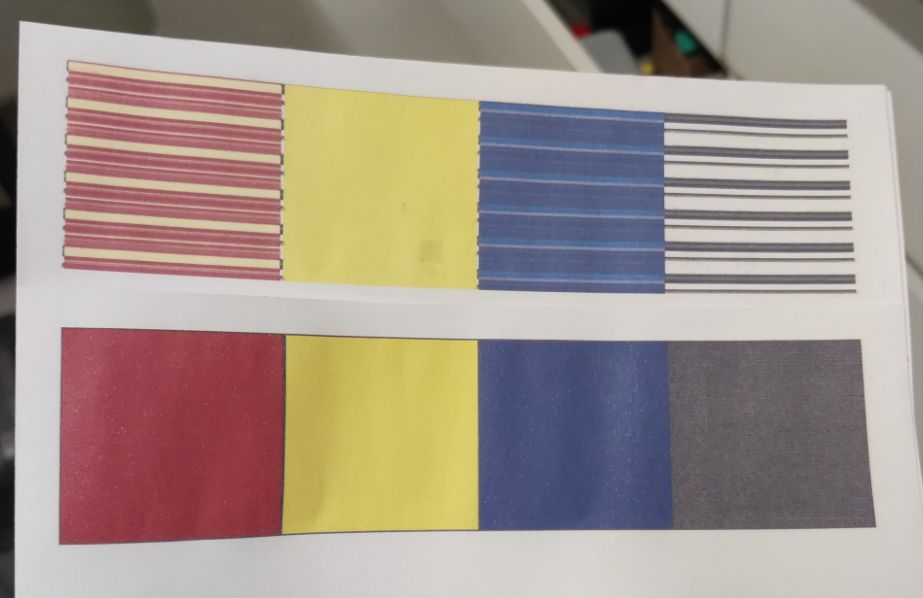](https://wiki.stadtfabrikanten.org/uploads/images/gallery/2025-11/ixmowmgDTtbV9Oeh-grafik.png) Druckprofilvergleich - oben Standard, unten "Epson Matte". Es lohnt sich also vorher genau zu schauen, um Fehldrucke und damit Farbvergeudung zu vermeiden!
Die Einstellungen sind unter Windows und Linux sehr ähnlich. Die Treiber finden sich in unserer Seafile Cloud bzw. - Windows → [https://www.epson.de/de\_DE/support/sc/epson-workforce-wf-2510wf/s/s1116?selected-tab=drivers&selected-os=Windows+10+64-bit](https://www.epson.de/de_DE/support/sc/epson-workforce-wf-2510wf/s/s1116?selected-tab=drivers&selected-os=Windows+10+64-bit) - Fedora → [https://www.openprinting.org/driver/epson-201211w](https://www.openprinting.org/driver/epson-201211w) **Drucken unter Windows** [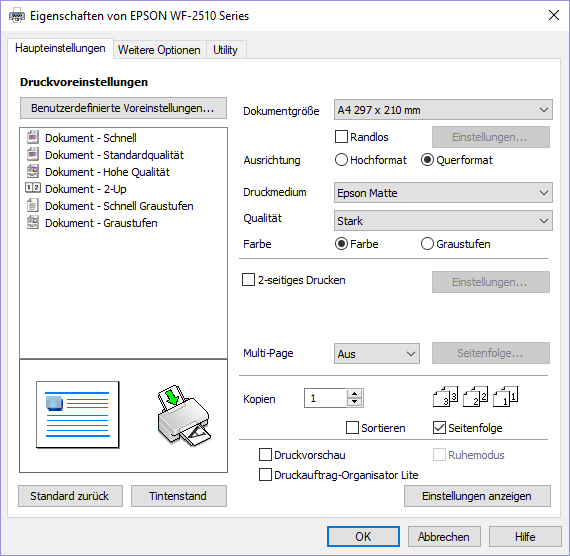](https://wiki.stadtfabrikanten.org/uploads/images/gallery/2025-08/hP0snzhu3lRs2RQ8-grafik.png) **Drucken unter Ubuntu** [](https://wiki.stadtfabrikanten.org/uploads/images/gallery/2025-12/BLDRpvywFcZn62Jx-grafik.png) **Drucken unter Fedora** [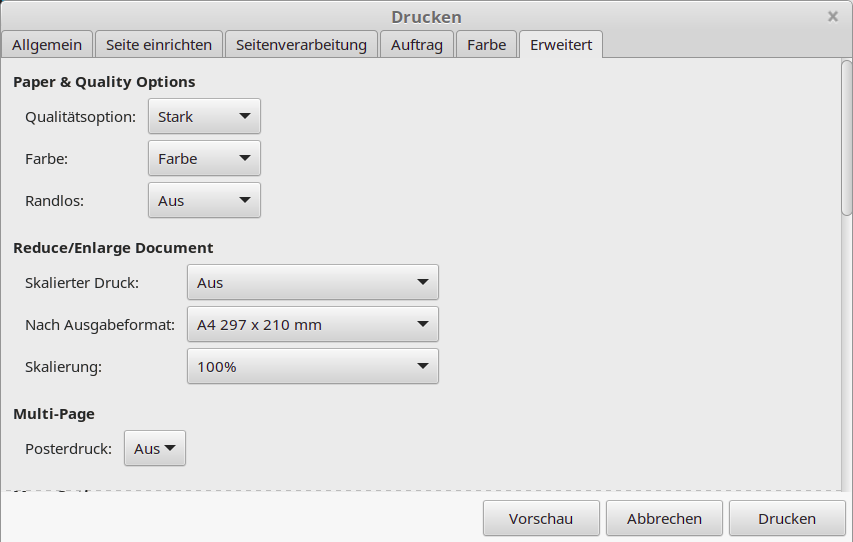](https://wiki.stadtfabrikanten.org/uploads/images/gallery/2025-08/wDDt9TIrBvCq3izR-grafik.png) [](https://wiki.stadtfabrikanten.org/uploads/images/gallery/2025-08/0wxnkSPj0BPaCyW5-grafik.png) Weitere Einstellungen müssen nicht geändert werden! - Tipp zu Farben: Das Bild sollte idealerweise mit CMYK-Farben abgespeichert sein - Tipp zum Drucken: Irfan View → sehr gute Optionen zur Platzierung der Grafik auf dem Druckmedium (Skalieren, Drehen, Zentrieren, ...) [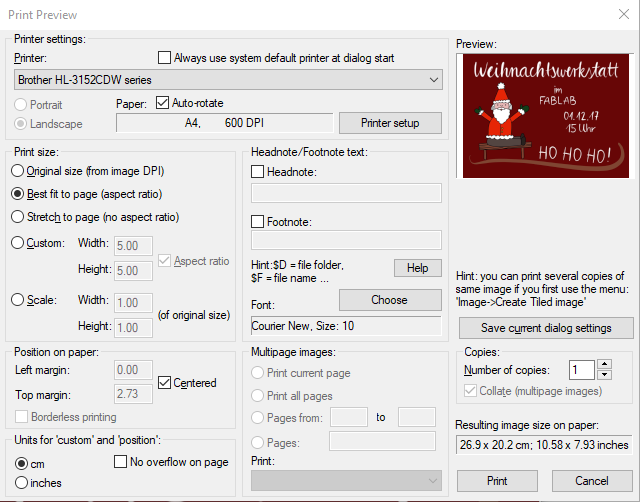](https://wiki.stadtfabrikanten.org/uploads/images/gallery/2025-08/HTIX34r4rZBTwoNq-grafik.png) ## Vergleich der Druckprofile| **Druckmedium Standard / Qualität Standard** | **Druckmedium Epson Matte (links), Epson Ultra Glossy (rechts)/ Qualität Stark** |
| [](https://wiki.stadtfabrikanten.org/uploads/images/gallery/2025-08/wyNgdzHEZLDm5aMn-grafik.png) | [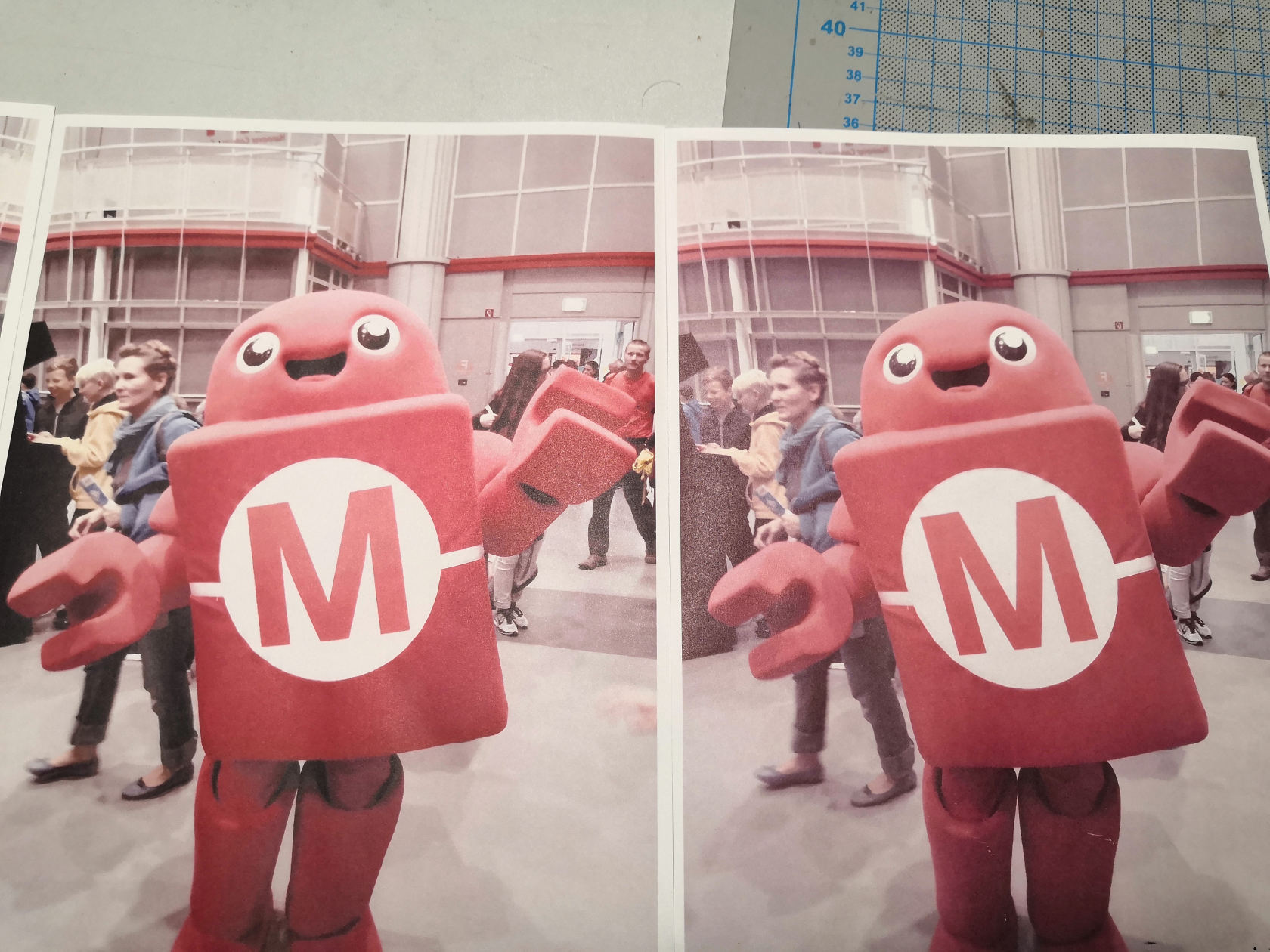](https://wiki.stadtfabrikanten.org/uploads/images/gallery/2025-08/qZ94pW9bvUn4aHBW-grafik.png) |