# Doodle3D - Standard Settings FabLab Chemnitz
## Allgemeine Einstellungen
[](https://wiki.stadtfabrikanten.org/uploads/images/gallery/2025-08/ONbdM9BsSzU3tEIy-grafik.png)
[](https://wiki.stadtfabrikanten.org/uploads/images/gallery/2025-08/LpmHC3O0EORSBugm-grafik.png)
[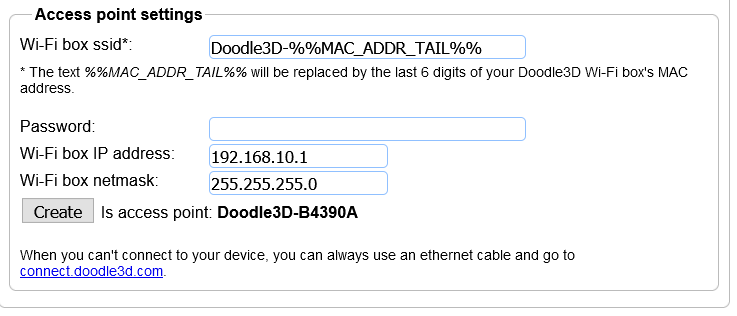](https://wiki.stadtfabrikanten.org/uploads/images/gallery/2025-08/EdRv0nq1o81ncSFI-grafik.png)
[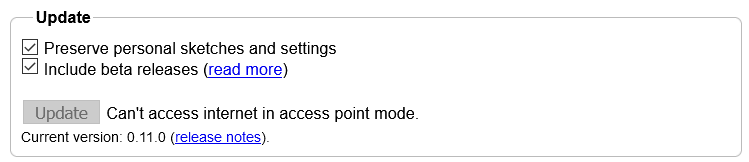](https://wiki.stadtfabrikanten.org/uploads/images/gallery/2025-08/fh0cu1IfIysMo9hh-grafik.png)
[](https://wiki.stadtfabrikanten.org/uploads/images/gallery/2025-08/cEXuiDNFMs5iUx5i-grafik.png)
## Zugriff im Access Point (AP) Modus (unverschlüsseltes http)
- [http://draw.doodle3d.com](http://draw.doodle3d.com/), oder
- [http://doodle.box,](http://doodle.box) oder
- [http://doodle3d.com,](http://doodle3d.com) oder
- [http://connect.doodle3d.com](http://connect.doodle3d.com)
## Bekannte Fehler
> "You're probably trying to go to a website on the internet, but you're currently only connected to the Doodle3D WiFi box. which means you're not connected to the internet. You could:
>
> - Reconnect to the Wifi you normally use.
> - Configure the WiFi box to connect to that WiFi in client mode. You can do this through the settings screen.
>
> [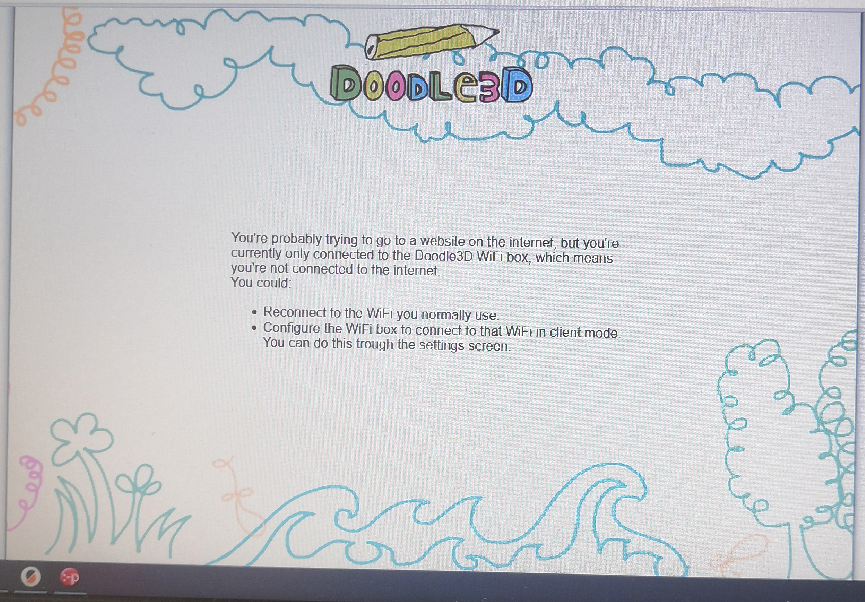](https://wiki.stadtfabrikanten.org/uploads/images/gallery/2025-08/E0tggP1LsovtjHy7-grafik.png)
## Doodle3D Druckerprofil Prusa i3 MK3S
Workarounds für funktionierende Verbindung Doodle ↔ Prusa i3
- wenn das Display des Druckers bereits ohne angeschlossene DoodleBox nichts anzeigt außer "Original Prusa i3 Research", dann muss zunächst der Drucker so oft neugestartet bzw. soft-resetted werden, bis die Anzeige bedienbar ist. Das Problem ist ein generelles Prusa Problem
- wenn das Display bei angeschlossener DoodleBox in Dauerschleife in die Meldung "Original Prusa i3 Research" versetzt wird, dann hilft Resetten oder Aus- und wieder Einschalten nicht. Die Lösung liegt hierbei darin eine SD-Karte einzustecken und dann mehrmals auf den Bedienknopf zu drücken, bis das Menü erscheint und bedienbar bleibt. Siehe Video!
- wenn Doodle3d den Drucker garnicht verbindet, obwohl der Drucker schon neugestartet wurde, ein Reset per Button nicht hilft und auch das Neuverbinden mit dem USB-Kabel nichts hilft, dann hilft nur ein DoodleBox Neustart
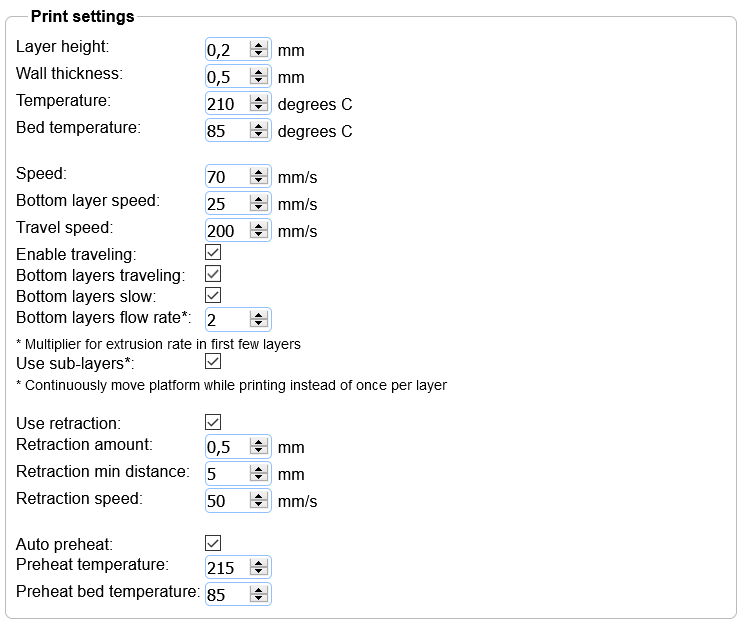
### Settings (Einstellungen für PETG Filament)
[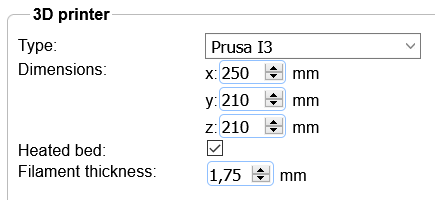](https://wiki.stadtfabrikanten.org/uploads/images/gallery/2025-08/pdy5eCYqhDo4k29M-grafik.png)
### Start GCode
```ini
G21 ;metric values
G90 ; use absolute coordinates
M83 ; extruder relative mode
M107 ;start with the fan off
M190 S{printingBedTemp} ;set target bed temperature
M109 S{printingTemp} ;set target temperature
G28 W ; home all without mesh bed level
G80 ; mesh bed leveling
G1 Y-3.0 F1000.0
G1 Z0.4 F1000.0
G1 X55.0 F2000.0
G1 Z0.3 F1000.0
G92 E0.0 ;zero the extruded length
G1 X240.0 E25.0 F2200.0
G1 Y-2.0 F1000.0
G1 X55.0 E25 F1400.0
G1 Z0.20 F1000.0
G1 X5.0 E4.0 F1000.0
M82 ; extruder absolute mode
G92 E0.0 ;zero the extruded length again
G1 F9000
G90 ;absolute positioning
M117 Printing Doodle... ;display message (20 characters to clear whole screen)
```
### End GCode
```ini
M107 ;fan off
G28 X0 Y0 ;move X/Y to min endstops, so the head is out of the way
M84 ;disable axes / steppers
G90 ;absolute positioning
M104 S{preheatTemp}
{if heatedBed}M140 S{preheatBedTemp}
M117 Done ;display message (20 characters to clear whole screen)
```
[](https://wiki.stadtfabrikanten.org/uploads/images/gallery/2025-08/GRa1P9pNXje0u9X9-grafik.png)